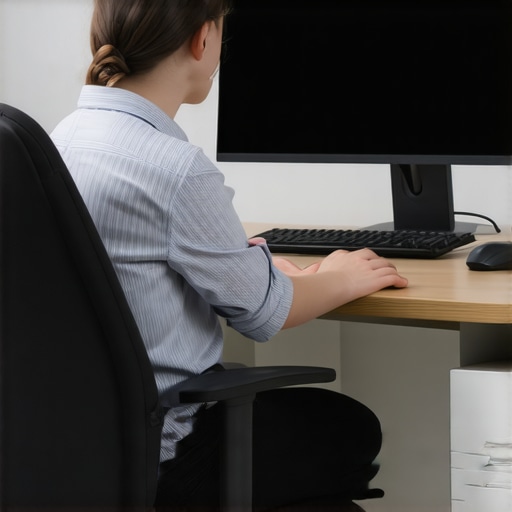
Why your computer monitor height is giving you headaches
Have you ever spent hours at your desk only to end the day with a pounding headache that just won’t quit? I used to shrug it off as stress or lack of sleep, until one frustrating afternoon when I realized my monitor might be the culprit. That moment was a literal lightbulb—yet it took me way too long to connect the dots. It turns out, the way we position our screens can silently wreak havoc on our health, especially our heads and necks. If you’ve been battling persistent headaches, neck discomfort, or even migraines after long work sessions, there’s a good chance that your monitor height is to blame.
Why Your Monitor Setup Matters More Than You Think
When I first set up my workspace, I thought as long as the screen was in my line of sight, I was good. But I didn’t realize how subtle misalignments could lead to major issues. The reality is, your eyes and neck are part of a delicate system designed to work in harmony. If your monitor is too low, too high, or off to the side, it forces your neck to bend or strain repeatedly. Over time, this strain can cause headaches, migraines, and even chronic neck pain. According to recent studies, poor ergonomic setup is one of the top contributors to work-related migraines (source: Quackers Spinal & Wellness).
Early in my journey to better health, I made the mistake of ignoring these small tweaks. I’d simply lean forward or craned my neck to see better, which only worsened my symptoms. The good news? Fixing your monitor height can be straightforward, and the benefits are immediate. Think of it as giving your head and neck a much-needed relief valve—ending the daily aches once and for all.
Is Adjusting Your Monitor Really Worth the Effort?
Initially, I wondered if this was just another overhyped ergonomic tip. Could something so simple really make such a difference? My skepticism was rooted in early mistakes I made—like thinking that all chairs and setups are created equal. But I learned that small positioning errors can trigger big problems, reinforcing why proper monitor height is essential. Now, I’ll guide you through how to get your setup right, so you don’t have to suffer like I did. Ready to reclaim your comfort and health? Let’s dive into the practical steps that transformed my workspace—and could do the same for you.
Start with the Basics: Eye Level Alignment
My first step was discovering my monitor was positioned too low, causing me to tilt my neck downward constantly. I placed a stack of books under my monitor, raising it to eye level—a simple fix that immediately reduced neck strain. To replicate this, measure the height from your eyes to the top of your monitor, aiming for your screen’s top to be roughly at eye level or slightly below. Use sturdy risers or adjustable stands for precise positioning.
Find the Sweet Spot: Proper Distance and Angle
Next, I realized that even if my monitor was at eye level, sitting too close or too far could still cause issues. The ideal distance is about an arm’s length, allowing comfortable viewing without leaning forward. Keep the monitor directly in front of you to avoid twisting your neck. My experience with adjusting my seat and monitor angle taught me that a slight tilt downward reduces eye strain and encourages a natural neck posture. Experiment with tilt angles—between 10-20 degrees downward—to see what feels best.
Practice Consistent Positioning: Use Visual Guides
To ensure I maintained proper posture, I used a mirror nearby to check my head position throughout the day. Over time, I memorized the optimal setup, which prevented me from slipping into bad habits like craning or slouching. Consider taking a photo or recording your setup to compare over days. Additionally, set a timer to remind yourself to adjust or check your posture every 30 minutes, reinforcing good habits.
Implement Ergonomic Accessories: Ease the Transition
I added ergonomic accessories like keyboard trays and adjustable chairs to complement my monitor adjustments. A keyboard that is at elbow height reduces shoulder tension, while a chair with lumbar support stabilizes your lower back. My anecdotal insight was that making incremental adjustments, rather than all at once, helped my body adapt without feeling overwhelmed. As you improve your desk setup, remember that mobility and comfort are interconnected—see how mobility tips can enhance your ergonomic efforts.
Test and Tweak Your Setup Regularly
After configuring my workspace, I noticed my discomfort decreased within days. However, I kept testing different heights and angles, especially after long work sessions. Small tweaks—like raising the monitor by an extra inch or adjusting tilt—made surprisingly big differences. Think of your setup as a dynamic system that benefits from ongoing fine-tuning to prevent recurring pain or stiffness.
Maintain Your Posture Throughout the Day
Position is just one part of the equation. I learned to consciously relax my shoulders, keep my feet flat on the floor, and sit upright with my back supported. These habits, combined with proper monitor height, helped prevent what I call “posture fatigue,” which often leads to headaches. Remember, consistent movement and posture checks are crucial; consider using linked mobility exercises to stay flexible and resilient.
Many people believe that most back and neck pain is purely mechanical or simply a matter of poor posture, but in my experience, there’s a profound nuance often overlooked. For instance, while a common myth is that pain always originates from a specific site—like a herniated disc or pinched nerve—research shows that pain can be a complex networked response involving the entire neuromusculoskeletal system. This means that focusing solely on local issues without considering mobility patterns, nervous system sensitization, or compensatory habits can lead to temporary relief at best, but often perpetuate chronic pain cycles. A critical mistake I see patients make is assuming that chiropractic adjustments alone are a panacea; in reality, integration of mobility work, posture awareness, and understanding the body’s adaptive responses create sustainable results. Moreover, many fall prey to the trap of over-reliance on passive treatments—like massages or medications—and neglect active approaches that empower functional resilience.
Advanced practitioners understand that addressing back and neck pain requires a multifaceted strategy involving both structural correction and neuromuscular re-education. For example, a study published in the Journal of Orthopedic & Sports Physical Therapy emphasizes that mobility exercises targeting the thoracic spine and hips significantly reduce recurrence of shoulder and neck pain, underscoring the importance of holistic movement health (see https://quackersspinal.com/understanding-back-pain-a-guide-to-better-posture-and-mobility).
So, what’s the hidden nuance most overlook? It’s the body’s ability to adapt through subtle, often unconscious, movement compensations—sometimes called ‘movement habits’—which, if left uncorrected, lock us into pain patterns. Recognizing these patterns is crucial. Regular mobility drills that enhance full-range movement can prevent pain from becoming entrenched. Also, proper spacing and alignment of the neck and back during daily activities, reinforced with active mobility, are key to long-term health.
Have you ever fallen into this trap? Let me know in the comments.
Maintaining a healthy back and neck over time requires not just good habits but also the right tools. As I navigated my journey from chronic discomfort to mobility, I discovered that specific equipment and software can make a significant difference in sustaining progress and scaling your efforts. One of my go-to tools is the ergonomic monitor stand. I personally use the Fellowes Elevated Monitor Riser, which allows precise height adjustments, ensuring my screen stays at eye level despite changing setups. This adjustment has prevented me from slipping back into poor posture habits and keeps my neck aligned during long work sessions.
Another game-changer is mobility tracking apps like StandApp. I use it to monitor my sitting duration and remind me to stand or stretch. Staying vigilant about movement intervals helps break the cycle of static positions that can lead to stiffness and pain. I’ve found that syncing these reminders with my calendar or smartwatch creates a seamless layer of accountability that sustains my mobility routines.
For strengthening and mobility exercises, I highly recommend investing in a quality foam roller like the TriggerPoint GRID. I particularly target my thoracic spine and hips, as tightness in these areas often mirrors in neck and back pain. Regular self-myofascial release with this roller has improved my range of motion and decreased flare-ups. According to a recent study in the Journal of Orthopedic & Sports Physical Therapy, integrating mobility tools like foam rollers enhances nerve mobility and muscle flexibility, which are essential for long-term pain prevention.
How do I keep these improvements over time?
The secret lies in consistency and smart maintenance. I set aside 10-minute sessions daily for mobility work, combining stretching, foam rolling, and posture checks. The key is to gradually increase the complexity and duration of exercises, adapting as your strength and flexibility improve. Additionally, scheduling regular check-ins with a professional chiropractor or physical therapist every few months ensures your tools and routines stay aligned with your evolving needs. Remember, technology and tools are just part of the equation—mindful use and ongoing attention are what truly sustain results.
Predicting future trends, I believe that wearable tech integrating real-time posture feedback will become more prevalent. Devices like smart posture sensors or even smart clothing that alert you when your alignment shifts will be standard in holistic back care. These innovations will empower us to maintain optimal posture proactively, preventing issues before they arise.
So, why not try a simple but powerful technique today? Use your foam roller on your thoracic spine, focusing on slow, controlled movements—this is a proven method to unlock long-term mobility and reduce pain cycles. Incorporate this into your daily routine and observe how your body responds over the coming weeks. Remember, consistent application of the right tools keeps your back and neck working smoothly for the long term.
Through my experience, I discovered that the real breakthrough in managing back and neck pain often comes from embracing the body’s subtle cues and small adjustments. One profound lesson was realizing that persistent discomfort isn’t just about immediate posture fixes but about understanding how movement patterns and habits contribute to long-term health. I learned that patience and consistent self-awareness are essential—sometimes, the smallest tweak can unlock significant relief, reinforcing the importance of ongoing mobility practice. Additionally, I found that integrating active mobility routines with ergonomic setups creates a resilient foundation, preventing pain before it starts. This journey taught me that sustainable change is rooted in continuous learning and compassion for our own bodies. Now, I see back health as a dynamic process, where awareness and gentle adjustments make all the difference—something every reader can incorporate into their daily routine for lasting wellbeing.