Why your office lighting is causing your neck pain
I sat there, staring at a spreadsheet that seemed to be vibrating. It was 3:14 PM, and the dull throb at the base of my skull was morphing into a full-blown migraine. I’d already tried stretching my neck to the side—which, as it turns out, might actually be causing more spasms—but nothing worked. My shoulders were pinned to my ears. I thought I was just stressed. I thought my posture was garbage. But then I noticed something: I was squinting. Not because the text was small, but because the harsh, flickering overhead fluorescent light was bouncing off my screen like a mirror. My body was subconsciously leaning forward, craning my neck to find an angle where the glare didn’t burn. That was my lightbulb moment, quite literally.
The Day My Desk Lamp Nearly Broke My Spirit
I made the classic expert mistake early on. I threw money at the problem without looking at the environment. I bought the most expensive mesh chair on the market, convinced it would solve my posture and mobility issues. It didn’t. I was still leaning forward, chin jutting out like a turtle. According to the American Optometric Association, about 50% to 90% of computer users experience some symptoms of Computer Vision Syndrome, which includes not just eye strain, but significant neck and shoulder pain. Today, I’m going to show you exactly how to audit your workspace lighting so you can finally stop that heavy head feeling that hits every afternoon. We’re going to fix the glare, balance the brightness, and get your spine back into a neutral position.
Is a simple lightbulb change actually worth the effort?
You might be thinking that a lamp is just a lamp. I used to think the same thing. But when you realize that your eyes are secretly dictating your posture, everything changes. If your eyes can’t see comfortably, your neck will sacrifice itself to help them out. It’s a survival mechanism that’s wrecking your cervical spine.
Fix the Glare Before You Fix Your Chair
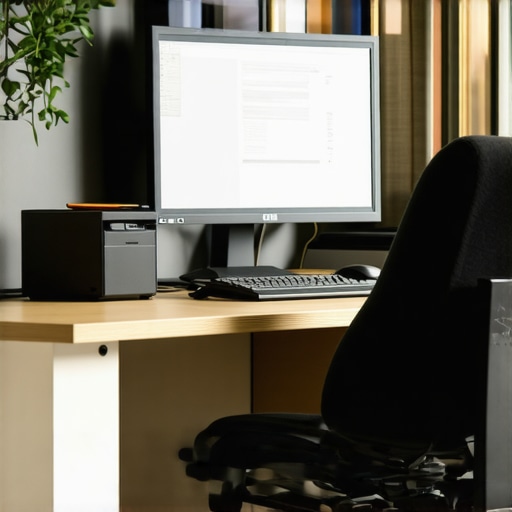
If you have a window behind you or a bright light reflecting off your monitor, you are in trouble. Your brain hates glare. To avoid it, you’ll tilt your head in weird ways without even realizing it. This is often the real cause of your headaches. I spent years trying to sit up straight while my environment was actively pushing me into a slouch. Have you ever felt like you’re fighting a losing battle with your desk setup? Tell me in the comments if you’ve noticed yourself squinting by noon. We need to look at the 4-point check for a healthier home office to see where your lighting falls short.
Kill the Glare to Save Your Neck
To understand why your neck is screaming, you have to think of your head like a 12-pound bowling ball balanced on a thin stick. For every inch you lean forward to escape a reflection on your screen, you effectively double the weight your cervical muscles have to support. This is exactly why your vision problems might be causing your neck pain without you even realizing it. I remember one Tuesday when I was trying to finish a report; the sun was hitting my screen at just the right angle to create a white haze. Instead of closing the blinds, I subconsciously tilted my chin up and slid my bottom forward in the chair. By 5 PM, my upper traps felt like they’d been through a meat grinder. The fix is simple: position your monitor perpendicular to windows, never directly in front of or behind them. If you can’t move the desk, get a high-quality anti-glare filter. It’s a $30 investment that prevents a $300 problem.
Try the Mirror Test During Your Lunch Break
Here is a concrete step I want you to take right now: turn your monitor off completely. If you can see the reflection of a lamp, a window, or even your own white shirt in the dark glass, your eyes are fighting that image all day. This constant visual noise forces your brain to prioritize ‘seeing’ over ‘sitting,’ and as we know, unlocking neck pain relief requires removing these environmental triggers. 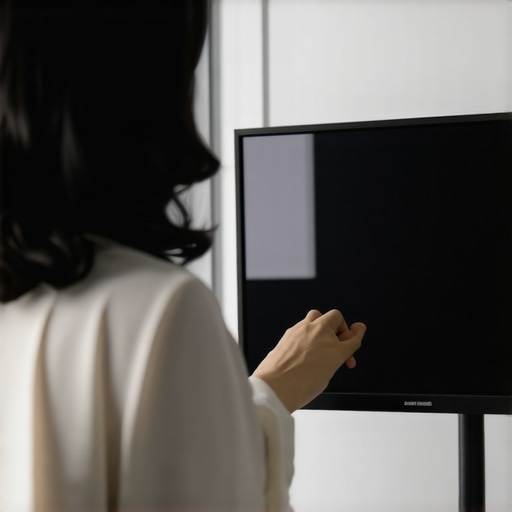
Balance the Light to Prevent That Heavy Head Feeling
Contrast is the silent killer of productivity. If you are working in a dark room with a glowing screen, your pupils are constantly dilating and constricting as you look from the bright monitor to your dark keyboard. This ‘pupillary fatigue’ radiates into the suboccipital muscles at the base of your skull. I used to be a fan of the ‘dark cave’ office vibe until I realized it was the real reason your head feels heavy by the afternoon. You need balanced ambient lighting. A simple desk lamp with a warm-toned LED bulb aimed at your documents—not the screen—creates a bridge of light that allows your eyes to relax. When your eyes relax, your shoulders drop. It’s an immediate neurological feedback loop. If you’ve already reached the point where the stiffness is set in, you might need how to setup your workspace to stop the 3 pm headache by using bias lighting behind the monitor to reduce that harsh contrast.
Incorporate a Physical Reset Between Emails
Once you’ve audited the lights, you need to clear the ‘postural debt’ you’ve already accumulated. Even with perfect lighting, staying static is the enemy. I started using the Bruegger position every time I hit ‘send’ on a long email. You sit on the edge of your chair, feet wide, palms turned out, and take three deep breaths into your belly. This opens the chest and reverses the ‘turtle’ shape that bad lighting forced you into. If the tension is particularly stubborn in the mid-back, try the simple towel roll trick for neck relief at your desk to support the natural curve of your spine while you work through the rest of your shift. Lighting is the foundation, but movement is the maintenance.
Let’s dig deeper into the actual mechanics of why that ‘tight’ feeling never seems to leave, even if you’re a yoga fanatic. I used to be the guy who would spend twenty minutes every morning pulling my head toward my shoulder, thinking I was ‘opening up’ the tissue. But here is the contrarian truth that most beginners miss: why stretching a tight muscle isn’t always the answer. Often, what you perceive as tightness is actually a neurological ‘parking brake.’ Your brain has detected instability in your spine, and it is purposely locking those muscles down to protect your spinal cord. When you stretch that muscle aggressively, you’re essentially trying to cut the brake lines of a car parked on a hill.
The Protective Guarding Trap
This is the ‘oops’ factor I see most often. People mistake ‘protective guarding’ for ‘short muscles.’ If your cervical spine is slightly out of alignment, your upper traps and levator scapulae will contract to act as a biological cast. If you keep yanking on them, your brain will respond by making them even tighter the next hour to compensate for the perceived threat. This is also why the truth about cracking your own back at home is so sobering—you’re usually just moving the segments that are already too loose, rather than the ones that are stuck. A study published in the Journal of Bodywork and Movement Therapies suggests that localized muscle stiffness is often a neuromuscular strategy to compensate for joint hypermobility elsewhere. You aren’t tight because you’re lazy; you’re tight because your body is trying to save you from yourself.
Could your tight neck actually be a stability problem in your hips?
It sounds far-fetched until you look at the kinetic chain. Your spine is a closed-loop system. If your pelvis is tilted—perhaps because you’re a chronic ‘sloucher’ or you have a dominant leg—the rest of your spine has to curve to keep your eyes level with the horizon. This is precisely why we adjust the pelvis to fix neck tension. If the foundation is crooked, the top of the tower will always be under strain. To truly find lasting comfort, you have to move beyond just rubbing the spot that hurts and start looking at mobility mastery and expert tips for back pain prevention that address the whole person. Instead of more stretching, many of my patients find that strengthening the deep neck flexors and the core—using something like the dead bug exercise—provides the stability the brain needs to finally release that ‘tight’ neck. Have you ever fallen into this trap of stretching a muscle for weeks with zero progress? Let me know in the comments below, and let’s figure out if you’re actually dealing with a stability issue instead.
Stop Fighting Your Monitor with a Gas-Spring Arm
If you’re still using the plastic stand that came with your monitor, you’re essentially forcing your body to adapt to a piece of cheap hardware. I finally switched to a gas-spring monitor arm, and it was a game-changer for my understanding of back pain and mobility. Why? Because it allows for micro-adjustments throughout the day. When I feel my mid-back starting to round, I don’t just sit up straighter; I pull the screen two inches closer and three inches higher. This forces my eyes to lead my spine into a better position. It’s about making the environment work for you, rather than you working for the furniture. This is one of those relief tips from the pros that people often overlook because they want a quick fix rather than a systemic change.
How can I keep my spine feeling this good long-term?
Maintenance is where most people fail. They get out of pain, and then they stop doing the things that got them there. I look at my spine like a high-performance vehicle; you don’t wait for the engine to seize before you change the oil. Regular check-ins to restore your range through chiropractic care are vital because they catch those tiny misalignments before they become full-blown spasms. As Dr. Stuart McGill, a world-renowned expert in spine biomechanics, notes in his clinical work, creating ‘spinal stiffness’ in the core is actually what allows the neck and limbs to move freely. I’ve integrated the 5-minute desk reset into my daily routine to keep that mobility fluid without needing to block out an hour at the gym. This proactive approach is the core of essential chiropractic tips for 2025.
The Gear That Actually Earned a Spot on My Desk
Beyond the monitor arm, I’ve become obsessed with tactile feedback. I use a mechanical keyboard with a heavy ‘actuation force.’ It sounds nerdy, but it prevents me from ‘ghost-typing’ with tensed, hovering shoulders. Every tool should serve the goal of effective neck pain management. Even something as simple as knowing how to choose the right pillow height can be the difference between waking up refreshed or starting the day with a cervical headache. We are moving toward a future where our workstations will likely use AI and webcams to track our ‘slump factor’ in real-time, giving us a gentle haptic nudge to reset. But until then, the responsibility is on us to stay proactive.
If you really want to level up, try this one advanced tip: set a recurring ‘posture audit’ on your phone for every 90 minutes. Don’t just sit up—completely stand up, perform the simple move to fix your posture, and then sit back down. It is the single most effective way to prevent the ‘creep’ of chronic tension from settling into your fascia.
Hard Truths I Discovered While Staring at My Screen
After years of trial and error, I’ve realized that the ‘tightness’ you feel in your shoulders is often a deceptive signal from your nervous system. It’s not that your muscles are too short; it’s that your brain doesn’t feel safe in the position you’ve forced it into. I’ve learned that chiropractic secrets to boost neck comfort are less about forceful changes and more about retraining that safety signal. You cannot out-stretch a workspace that is visually exhausting you. Another lightbulb moment was realizing that to revitalize your mobility doesn’t happen during a single 60-minute workout, but in the dozens of 10-second resets you perform between meetings. #IMAGE_PLACEHOLDER_E# Finally, I stopped looking at my neck as an isolated tower and started respecting it as the top of a kinetic chain that begins at my feet.
My Daily Survival Kit for Spinal Health
If you’re serious about making a change, there are a few tools I swear by. First, a gas-spring monitor arm is non-negotiable because it turns your desk into a dynamic environment. I also recommend a high-quality bias lighting kit to reduce eye strain, which indirectly keeps your chin from jutting forward. For those struggling with chronic issues, I highly suggest reading the works of Dr. Stuart McGill; his insights on core stability were the missing piece in my back pain recovery journey. Lastly, never underestimate the power of a simple foam lumbar roll—it’s the cheapest way to ensure your pelvis stays neutral while you tackle a heavy workload.
Take Back Your Focus Without the Ache
The transition from a constant, dull throb to a focused, productive workday doesn’t happen overnight, but it is entirely possible. By auditing your lighting and respecting your body’s need for stability over aggressive stretching, you are taking the first steps toward neck pain no more. Your workspace should support your health, not deplete it. It’s time to stop fighting your environment and start optimizing it for the long haul.
Have you noticed that your neck tension gets worse depending on the time of day or the specific light in your room? Let me know in the comments below!