Why Your Mouse Position Is Creating That Pain Under Your Shoulder Blade
It hit me suddenly, one afternoon at my desk. A sharp, persistent ache under my shoulder blade that refused to go away. I thought it was just another stress knot, but as days turned into weeks, I realized something more insidious was at play—my mouse placement. That tiny, almost invisible detail was sabotaging my comfort, and I didn’t even see it coming.
Uncovering the Hidden Culprit Behind Shoulder Blade Pain
Like many of you, I spent hours hunched over my computer, with my hand constantly reaching for that familiar mouse. It felt harmless, routine even. But over time, I started noticing a nagging pain creeping into my shoulder blade, especially after long work sessions. It was frustrating because I couldn’t pin down the cause. Was it my posture? My chair? Or perhaps my desk setup?
Standing up one day, I had a lightbulb moment. I realized that the way I positioned my mouse wasn’t just a minor detail—it was a major factor influencing my pain. I’d been unknowingly pulling my shoulder into an awkward position, causing muscles to tense up and nerves to become irritated. This revelation was a game-changer. I dove into research and discovered a mountain of evidence supporting what I’d experienced firsthand.
According to experts, repetitive strain from poorly positioned peripherals can lead to muscular imbalances and nerve compression, resulting in pain that radiates under the shoulder blade. A simple adjustment in how your mouse is placed can alleviate or even eliminate this discomfort. And trust me, I’m living proof of it.
Now, the promise I make to you is this: by optimizing your mouse setup, you can significantly reduce or eradicate that stubborn shoulder blade pain. No need for endless stretching or resorting to painkillers—just smart adjustments that work with your body, not against it.
Is Your Workspace Setup Actually Making Your Pain Worse?
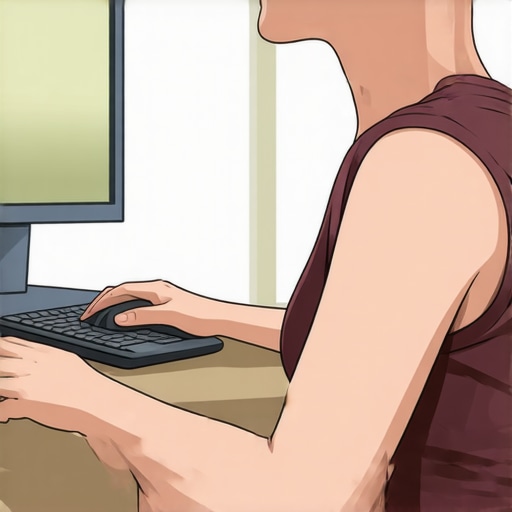
Early on, I made a common mistake—placing my mouse too far to the side and too low, forcing my arm and shoulder into unnatural positions. This classic error is often overlooked. Many people assume their pain comes from muscle tightness or poor posture alone, but in reality, it’s often the little setup details, like mouse placement, that are to blame. For a deeper dive into these overlooked factors, I recommend checking out this guide on back and neck pain relief.
If you’re tired of suffering in silence and ready to take control of your discomfort, stay tuned. We’ll explore practical, evidence-based changes you can implement today to restore comfort and improve mobility. Because your workspace should support your well-being, not sabotage it.
Adjust Your Mouse Placement for Immediate Relief
First, set your mouse closer to your keyboard, roughly within an inch or two, to prevent reaching forward. Then, ensure it’s at elbow height or slightly lower. When I reorganized my desk by bringing my mouse closer and raising it, I instantly felt less strain in my shoulder. Think of your mouse like a steering wheel: if it’s too far or too low, you’re forcing your arm into an awkward position. Regularly check your setup and make these small tweaks to keep your shoulder muscles relaxed.
Ergonomic Support and Posture Habits
Use a supportive chair that promotes an upright posture, with lumbar support to maintain the natural curve of your spine. When working long hours, take frequent breaks—every 20 minutes—by standing or walking briefly. During these breaks, perform gentle shoulder rolls and neck stretches to reset tension. Remember, maintaining good posture is like tuning a guitar: consistent adjustments keep everything sounding (or feeling) just right.
Implement Micro-Movements to Reduce Tension
Integrate small, deliberate movements into your routine. For example, every 30 minutes, do a quick set of shoulder blade squeezes—pinch your shoulder blades together and hold for five seconds. I did this during a particularly busy workday, and it prevented the typical stiffness from building up. These micro-movements are like little brakes in a car—they help prevent the build-up of strain before it becomes painful.
Incorporate Mobility Drills into Your Day
Simple stretches and mobilization exercises can dramatically improve shoulder and neck comfort. One effective move is the doorway chest stretch combined with an upper back twist, helping open your chest and release shoulder tension. For a more targeted approach, try chiropractic-proven mobility drills. I practiced these daily, and noticed a gradual reduction in pain, much like unwinding tangled ropes—smooth and tension-free.
Optimize Your Desk Setup for Ongoing Comfort
Ensure your monitor is at eye level, about an arm’s length away, to avoid forward head posture. Use a vertical mouse if you notice additional strain from traditional ones; its design minimizes wrist twist and shoulder load. I added a small riser under my laptop, which positioned the screen perfectly. Think of your workspace like a cockpit—every control needs to be within easy reach to operate smoothly and safely.
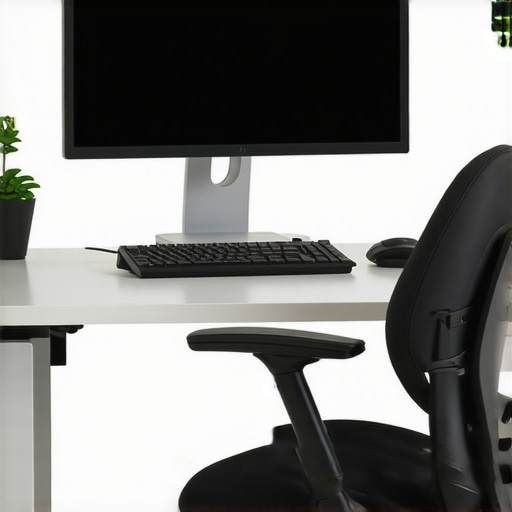
Incorporate adjustable monitor stands to align screen height with your eye level, reducing neck and shoulder strain.
Many believe that addressing back pain is simply about stretching more or strengthening muscles, but there’s a subtle trap that many fall into—misinterpreting the root cause of their discomfort. The common myth is that pain equals weakness or injury, leading people to over-focus on aggressive stretching or heavy workouts without considering underlying nuances like joint mobility or neurological factors. In my experience, this approach often worsens symptoms, as overextension can irritate already sensitive tissues. One overlooked aspect is the significance of spinal segment mobility; a joint that’s not moving properly can cause referred pain without any visible injury. For instance, limited mobility in a specific vertebral segment may irritate nearby nerves, simulating muscle strain. The danger lies in applying generic solutions; what works for one person may exacerbate another’s condition. A crucial mistake is assuming that pain relief requires raw strength; in reality, restoring proper movement patterns through techniques like targeted chiropractic adjustments can address the underlying restriction. Have you ever fallen into this trap? Let me know in the comments. Interestingly, research indicates that joint mobilization improves nerve function and reduces pain more effectively than just muscle work, especially in chronic cases. For advanced insights, consider exploring restoring spinal mobility with expert chiropractic care. Remember, it’s these nuanced differences—focusing on joint health and neural pathways—that can make all the difference in sustainable recovery. Don’t settle for one-size-fits-all solutions; dig deeper to understand the real mechanics behind your discomfort.
Maintaining your gains in back health and mobility requires more than just temporary fixes; it demands the right tools and routines that support your progress over months and years. From ergonomic equipment to digital tracking, having a set of trusted resources can make all the difference in sustaining relief and scaling your efforts. In this section, I’ll share the specific tools I personally rely on and how they help me stay pain-free and mobile.
Invest in a Quality Ergonomic Workspace Setup
Your workspace is the foundation of ongoing comfort. I recommend using an adjustable monitor stand to keep your screen at eye level, which prevents neck strain and encourages proper spinal alignment. A vertical mouse has been a game-changer for me, reducing shoulder and wrist tension by minimizing awkward angles. Adjusting your desk height so your elbows are at a 90-degree angle ensures your arm movements are natural and pain-free. You can explore chiropractic-approved ergonomic tools that integrate seamlessly into your daily routine.
Customizable ergonomic accessories, like height-adjustable desks and ergonomic mice, support long-term spinal health and reduce strain from prolonged sitting or repetitive movements.
Incorporate Smart Tech for Movement Monitoring
Using software or wearable devices that track your posture and movement habits can provide immediate feedback, helping you correct ingrained poor habits. I personally use posture reminder apps that prompt me to straighten up every 20 minutes, preventing cumulative strain. These tools tap into the future of personal health, where real-time data guides smarter decisions—think of it as having a coach who’s always watching. As the trend advances, expect increased integration with AI to personalize your corrective exercises even further.
Why Regular Mobility Devices Are a Must
Foam rollers and massage balls are simple but effective tools for releasing tension in tight muscles and restoring mobility. I keep a high-density foam roller nearby; my daily routine includes rolling out my upper back and shoulders before starting work. This process helps prevent muscle knots from re-forming, supporting the neural pathways involved in movement. For targeted relief, consider a mobility stick or resistance bands to perform controlled stretches and strengthen stabilizing muscles. Research indicates that self-myofascial release with these tools can significantly improve neural function and mobility, especially when incorporated into a consistent routine—it’s like tuning up a guitar before a concert.
To deepen your understanding and implement effective strategies, check out neck pain relief techniques that integrate these tools into a holistic approach.
How can you maintain consistent progress with your tools over time?
The key is habitual use paired with periodic reassessment. Schedule weekly check-ins with your equipment, replacing worn-out rollers or adjusting your workspace as your needs evolve. Regularly updating your software and trying out new mobility gadgets ensures you stay aligned with the latest advancements. Remember, these tools are not just devices—they’re investments in your long-term health. For an in-depth look at building a sustainable maintenance plan, explore chiropractic techniques for ongoing mobility.
Lessons the Body Taught Me Absolutely No Guide Could
One unforgettable lesson was realizing how easily everyday habits can sabotage your progress. I once believed that intense stretching was the key, but it turns out subtle joint restrictions played a bigger role in my pain. Another eye-opener was discovering how small adjustments—like the height of my monitor—can have exponential benefits, which traditional advice often overlooks. Lastly, I learned that patience and consistency outshine quick fixes; muscles and joints need gentle, sustained care to truly heal and move freely.
My Top Recommendations for Staying Pain-Free and Mobile
The core of my toolkit includes the restore your back mobility guide, which laid the foundation for my understanding of spinal health. I swear by ergonomic accessories like adjustable desk risers and ergonomic mice, as they minimize strain daily. For ongoing awareness, I use posture reminder apps that nudge me to correct my position before discomfort sets in. Regular use of foam rollers and resistance bands keeps my muscles supple and my joints fluid, preventing the cycle of stiffness and pain.
Your Next Step Toward a Healthier Back and Neck
Remember, your journey toward sustained comfort starts now. Embrace small but consistent changes—adjust your workspace, incorporate mobility routines, and stay curious about your body’s signals. Each positive step reinforces the mobility and resilience you deserve. Don’t wait for pain to dictate your life—take action today and reclaim control over your well-being.