The 3-Inch Rule for Your Monitor That Saves Your Cervical Spine
It was one of those mornings where I caught myself staring down at my phone, shoulders hunched, neck aching worse than ever. The kind of pain that sneaks up on you slowly but then hits you with full force during those quiet moments when you think, “Maybe I should just live with this tension.” But then, I had a lightbulb moment—something so simple yet transformative that I wondered how I’d gone so long ignoring it. That’s when I discovered the magic of the 3-Inch Rule for your monitor, a small adjustment with a massive impact on my cervical spine.
Why Your Monitor Position Could Be Sabotaging Your Health
I used to think that as long as I wasn’t slouching and my chair was somewhat ergonomic, I was fine. Wrong. The thing is, most of us spend hours in front of screens, and how we position those screens can make or break our spinal health. I noticed that every time I glanced down at my monitor, I’d feel a sudden surge of neck stiffness or dull pain radiating into my shoulders. It became an all-too-familiar cycle of discomfort that I couldn’t shake off. That’s when I realized I was guilty of what many call the “monitor tilt and height mistake,” a common but overlooked culprit.
To combat this, I took a hard look at my setup, and that’s when I stumbled upon the simple yet powerful concept of maintaining my monitor within three inches of my eye level—hence the “3-Inch Rule.” This adjustment seemed trivial, but as I started applying it, the difference was astonishing. Neck pain diminished, my posture improved, and I felt more energized throughout the day.
Have you ever had that moment where you suspected your workspace was contributing to your discomfort but didn’t know exactly what to change? If so, you’re not alone. Many folks don’t realize how a tiny shift can significantly boost spinal health. Research from the Cleveland Clinic highlights that improper monitor placement is a common cause of neck strain and can even lead to chronic issues if ignored.
The best part? This rule is easy to implement and instantly actionable. I’ll walk you through how to find that perfect monitor height and share tips to keep your cervical spine happy—so stay tuned. We’re about to turn your workspace into a health-promoting zone that can permanently reduce your neck and back pain.
Set the Stage for Success with Proper Monitor Alignment
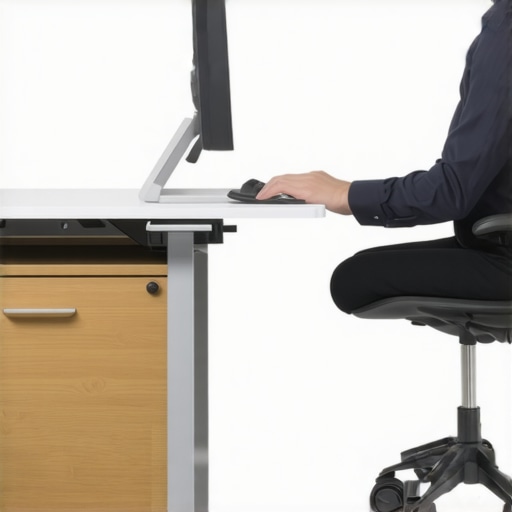
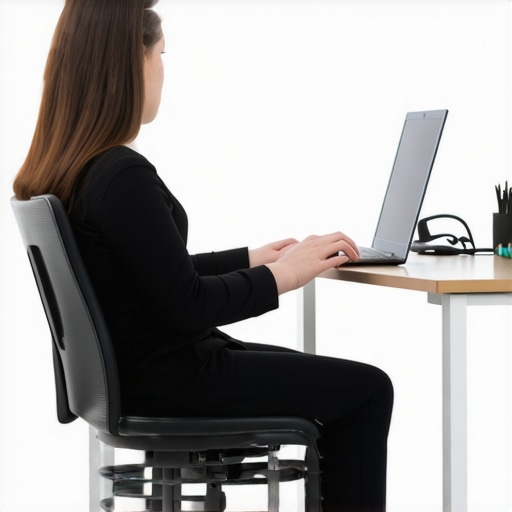
First, find a flat, stable surface for your monitor, ideally at eye level. Think of your monitor as the dashboard of your car—if it’s too low or too high, your neck will strain, just like driving a car with an uneven steering wheel. Essential to this process is recognizing your current setup; sit comfortably and note where your eyes naturally fall relative to your screen.
Adjust Your Monitor with Precision
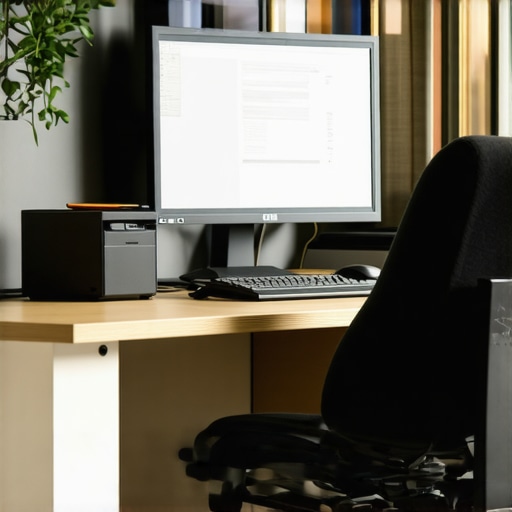
Begin by lowering or raising your monitor until the top of the screen aligns with your horizontal line of sight, approximately 2-3 inches below your eye level. Use objects like books or stands to elevate your monitor if needed. Remember, a well-aligned monitor reduces the need to tilt or crane your neck, preventing long-term strain. In a personal experience, I used a few thick books to elevate mine, and the immediate relief in neck tension was noticeable. For optimal results, consider investing in adjustable monitor mounts or risers that can lock into your preferred height.
Maintain Proper Distance
Position your monitor about 20-24 inches away, roughly arm’s length, mirroring the distance you would hold a book for comfortable reading. This range ensures your neck remains in a neutral position and prevents you from leaning forward or looking down—common habits that contribute to pain. I caught myself slouching and leaning in, which exacerbated my discomfort, but after aligning my monitor, my posture improved naturally. Regularly check your distance by extending your arm and gauging where it feels most comfortable and strain-free. Click here for more on the importance of screen positioning.
Implement Consistent Ergonomic Checks
Every week, revisit your setup. Sit at your desk, adjust slightly if needed, and ensure your monitor stays within the 3-Inch Rule. Think of it as tuning a musical instrument—you want everything in harmony. Small adjustments over time prevent cumulative strain, similar to how chiropractic adjustments maintain spinal health. For more strategies on optimizing your workspace, visit this guide. Remember, a simple change like this can be the cornerstone of lasting relief and improved posture, turning your workspace into a health-promoting environment.Many people believe that mobility issues, neck pain, and back discomfort are primarily due to muscle tightness or lack of stretching. However, as an expert in chiropractic care, I’ve seen countless cases where this common belief leads us astray. The truth is, there’s a nuanced layer often overlooked: the intricate relationship between joint mechanics, neural signals, and habitual movement patterns. While stretching might offer temporary relief, it can sometimes mask deeper misalignments or faulty motor control that perpetuate chronic pain. For instance, overemphasizing flexibility without addressing joint stability can weaken the foundational support your spine needs, increasing injury risk over time.
One prevalent myth is that all mobility exercises are beneficial. In reality, performing aggressive stretches on joints that haven’t been properly assessed can do more harm than good. For example, forcing your hamstrings too aggressively without ensuring pelvis stability may aggravate sciatic nerve irritation instead of alleviating it. A recent study published in the *Journal of Orthopaedic & Sports Physical Therapy* highlights that targeted joint mobilizations combined with neural retraining are far more effective for lasting mobility gains than generic stretching routines.
Another common trap is assuming pain is solely a sign to rest or avoid movement. In truth, the timing and type of movement matter immensely. Moving too little entrenches stiffness and weakens supporting structures, while overdoing it without proper guidance can exacerbate existing issues. It’s about finding that delicate balance—progressively restoring mobility through precise, controlled movements rather than blanket rest or untargeted stretching.
Understanding this layered complexity helps explain why some individuals see little progress with generic foam rolling or stretching alone. Instead, they benefit from an integrated approach that includes chiropractic adjustments, neuromuscular re-education, and strategic mobility drills tailored to their specific patterns. For example, addressing a forward head posture isn’t just about neck stretches but involves correcting thoracic spine mobility, shoulder girdle stability, and even breathing patterns. You can explore comprehensive strategies in my guide on restoring back mobility with proven chiropractic methods.
Be cautious of the assumption that pain must be endured or that quick fixes will last. Lasting improvement comes from understanding the underlying biomechanical and neurological contributors to mobility limitations. It’s a nuanced dance of joint health, soft tissue harmony, and neural efficiency that needs a tailored approach—one that combines chiropractic expertise with mindful, evidence-based movement practices.
Have you ever fallen into this trap? Let me know in the comments. To get started on a more precise and effective mobility strategy, consider consulting a specialist who can evaluate and guide your journey toward pain-free movement.
Keep It Working: Essential Tools for Long-Term Mobility and Pain Relief
Maintaining your spinal health requires not just good habits but also the right equipment and strategies to support ongoing progress. Over the years, I’ve tested and used specific tools that have proven effective in controlling neck and back pain and promoting mobility. These aren’t generic recommendations; each has a personal story and a clear purpose. For example, I’ve found that an adjustable monitor riser is indispensable for maintaining proper posture—a simple yet powerful step that aligns with the proven chiropractic strategies I advocate. Similarly, foam rollers designed with targeted density help release fascial restrictions, but only if used correctly, as outlined in this guide.
Investing in a high-quality ergonomic chair has transformed my workday. The key is one that allows fine adjustments in seat height, lumbar support, and armrest positioning. Remember, it’s not about buying the most expensive option but selecting a chair that enables you to sit in a neutral spine position consistently. Pair this with a standing desk or sit-stand converter, which I personally use, to diversify your movement patterns and reduce static load on your discs and joints. These tools work best when combined with periodic mobility drills, like the simple 30-second hip flexor stretch from my routines.
Practicing neural resets and joint mobilizations isn’t limited to the clinic. I incorporate self-mobilizations with tools like resistance bands for thoracic spine improvement, as recommended in my mobility recovery guide. These strategies reinforce my body’s sensorimotor awareness, aiding in long-term posture correction and pain reduction.
Prediction-wise, the trend is leaning toward personalized, tech-integrated solutions. Devices that monitor posture through feedback loops or mobile apps providing real-time cues will become more accessible, empowering you to stay on track between visits. Think of these as your digital chiropractor’s assistant, ensuring consistency between professional adjustments and daily habits.
How do I keep these tools effective over time?
The secret is routine maintenance and intentional usage. Schedule weekly check-ins to reassess your workspace ergonomics, replace worn-out tools, and incorporate new mobility techniques. Keep a journal or use a digital log to track pain levels, mobility improvements, and tool effectiveness. This feedback loop ensures you adapt your setup as your body evolves, preventing stagnation. Remember, consistency is key—integrating these tools into your daily habit makes the difference. If you want a concrete example, try using a foam roller along your thoracolumbar junction after prolonged sitting, as this area is often forgotten but critical for spinal mobility.
Lastly, consulting with a professional periodically helps keep your approach on track. If you’re uncertain about which tools to prioritize or how to maximize their benefit, schedule a visit through my contact page. Regular check-ins can solidify your habits and ensure the long-term health of your spine. Start today by incorporating one of these recommended tools into your routine, and you’ll be surprised at how quickly your discomfort diminishes and your mobility improves.
One of my most eye-opening realizations came when I stopped viewing ergonomic adjustments as mere tweaks and started seeing them as the foundation of true spinal wellness. I learned that consistency in small, strategic habits—like revisiting my monitor height weekly—far outweighs sporadic, larger interventions. It’s about creating a culture of mindful movement and setup awareness that becomes second nature, preventing discomfort before it starts. Moreover, I discovered that even seasoned practitioners can fall into the trap of overcomplicating solutions; sometimes, simplicity—like the 3-Inch Rule—delivers the most profound benefits. This insight shifted my entire perspective from reactive fixes to proactive, daily reinforcement of spinal integrity, which is a game-changer for anyone serious about lasting relief.