How Your Keyboard Placement Is Pulling Your Neck Forward
Picture this: it’s late evening, and after hours of typing away at your computer, you suddenly feel that dull, persistent ache creeping up your neck. You’ve probably brushed it off as just part of busy work. But what if I told you that this discomfort might be silently building due to something as simple—and overlooked—as where you place your keyboard?
Driving Your Neck Forward Without Meaning To
For years, I dismissed my neck pain as a sign of aging or poor posture when standing. But once I started paying closer attention, I realized a common culprit: my keyboard setup. It was almost embarrassingly obvious in retrospect. My keyboard was slightly too low, encouraging me to hunch forward, craning my neck down to see the screen clearly. Over time, this repetitive habit became a persistent source of tension.
Many of us don’t realize how our workspace ergonomics influence our posture—until pain forces us to confront it. The truth is, a poorly positioned keyboard subtly pulls your neck forward, leading to strain, discomfort, and even long-term injury. Luckily, once I identified the problem, I found effective ways to combat it, restoring both comfort and mobility. That’s exactly what I want to share with you today—how to recognize if your keyboard placement is secretly hijacking your neck health and the steps to fix it.
The Big Promise
In this post, I’ll walk you through proven strategies to adjust your workspace and break free from neck tension caused by keyboard placement. You’ll learn easy tweaks, expert tips, and actionable steps to align your ergonomic setup, prevent future pain, and finally regain full mobility. Because I know firsthand how frustrating it can be to feel stiff and uncomfortable after hours of work—it’s like your own body is protesting your habits. So, if you’ve ever experienced that creeping neck ache or worrying about long-term effects, keep reading. You’re about to discover the secrets that could transform your daily comfort.
Does Your Setup Actually Worsen Your Discomfort?
One mistake I made early on was ignoring the importance of proper monitor height and keyboard position, assuming it was a minor detail. Turns out, neglecting these parts of ergonomics can keep you stuck in a cycle of tension. Understanding these subtle factors is crucial, and seeing the results of making small adjustments is genuinely life-changing. For more on preventing neck pain through ergonomic tweaks, check out this guide. Now, let’s dive into how your keyboard placement might be quietly pulling your neck forward—and what you can do about it.
Adjust Your Keyboard Height for Immediate Relief
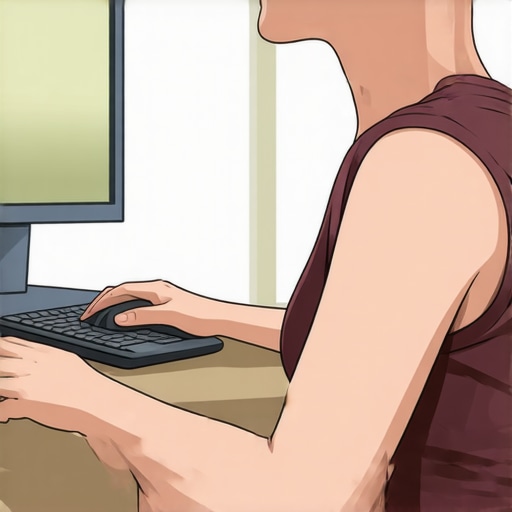
Start by setting your keyboard so that your elbows are bent at roughly 90 degrees when your hands rest comfortably. Aim to have your keyboard at a height where your wrists are straight and your hands are level with or slightly below your elbows. I remember the first time I adjusted mine—it was a bit messy, with my keyboard teetering on a stack of books. After a few tweaks, I felt the difference instantly: less hunching, less neck forward tilt, and a noticeable reduction in tension. Proper height prevents your neck from straining forward as you reach for keys, much like ensuring a bookshelf is at eye level to avoid craning your neck.
Use a Keyboard Tray or Riser
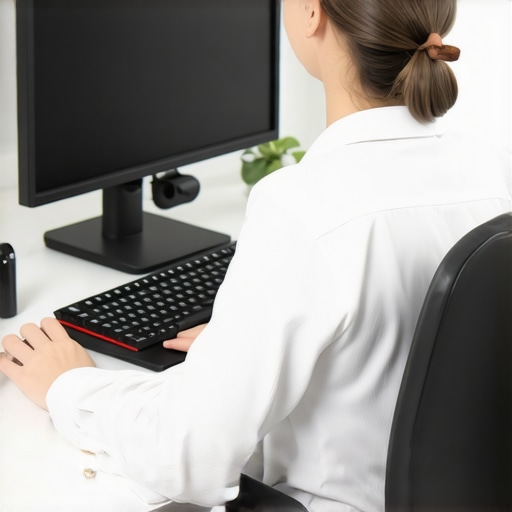
If your desk setup allows, invest in a keyboard tray or use a riser to bring your keyboard to the optimal height. This small adjustment can be a game changer, especially if your current setup is designed more for aesthetics than ergonomics. I tried this by positioning a sturdy box under my keyboard and immediately felt my shoulders relax and neck straighten. Think of it as giving your spine a direct cue to stay aligned, much like when a chiropractor gently repositions your vertebrae for better posture.
Position Your Monitor for Better Posture
Next, set your monitor so the top of the screen is at or just below eye level. This minimizes the need to look down or up, reducing neck strain. When I adjusted my monitor, I used a stack of books to elevate it, which allowed me to keep my head positioned neutrally, much like a puppet’s string lifting the head into the perfect posture. This alignment discourages the forward neck tilt that often accompanies poorly positioned screens, helping your cervical spine stay happy and healthy.
Eye Level Is Authority in Ergonomics
Achieving eye-level positioning is crucial because it creates a natural, effortless line of sight. If you notice yourself craning or tilting your head constantly, it’s a sign to bump up your monitor. Remember, it’s not about vanity but comfort—imagine your neck as a stiff wire that needs gentle support to avoid bending out of shape. For a more comprehensive approach, consider consulting guides on ergonomic monitor placement or explore professional assessments available through wellness experts.
Maintain Neutral Posture During Work
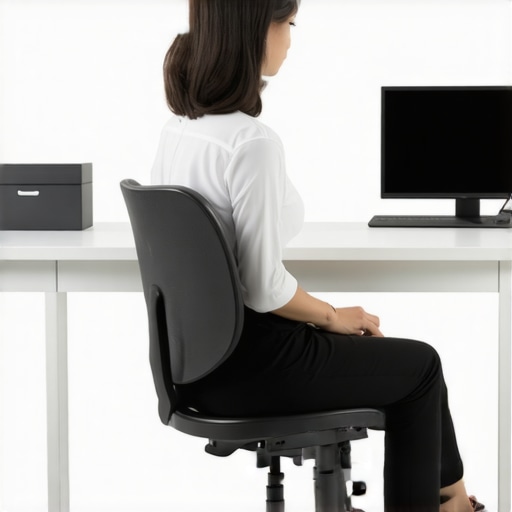
Adopt a posture where your back is straight, shoulders relaxed, and head aligned over your spine. To reinforce this, set reminders to check your position every 15 minutes. I personally used sticky notes on my monitor as visual cues, which prompted me to straighten my back and adjust my neck. This consistent self-check cultivates habits that prevent tension from building up, similar to how regular chiropractic adjustments help maintain spinal health.
Micro-Movements Keep You Mobile
In addition to static posture corrections, incorporate small movements—shoulder rolls, neck tilts, and wrist stretches—every half hour. These micro-movements are like oiling a squeaky hinge; they keep your joints fluid and prevent stiffness. I found that at first, I felt a little awkward doing these exercises, but over time, they became natural. Think of your body as a machine—regular lubrication and movement keep it running smoothly and prevent injuries.
Leverage Ergonomic Accessories for Lasting Comfort
Finally, consider ergonomic tools such as a supportive mouse pad, ergonomic chairs, or wrist rests. These accessories act as personal ergonomics assistants, subtly guiding your body into healthy positions. When I added a cushioned wrist rest, I noticed less strain during long typing sessions, which is like adding a shock absorber to a bumpy ride. These tweaks ensure your workspace supports your body’s natural curves, much like a chiropractor’s adjustments fostering proper alignment.
By systematically implementing these adjustments—heightening your keyboard and monitor, maintaining neutral posture, and incorporating micro-movements—you create a workspace that champions your neck health. Remember, small changes accumulate into big relief over time, transforming your daily routine from a source of pain into a pathway to comfort.
Many individuals believe that back and neck pain stem solely from obvious issues like heavy lifting or poor posture, but the truth is often more nuanced. A common misconception is that pain always indicates a direct injury or structural problem that requires aggressive interventions. In reality, chronic discomfort can frequently be traced to subtle movement patterns and unresolved proprioceptive deficits, which advanced practitioners understand are crucial to address. For instance, relying exclusively on traditional rest or pain medication may mask symptoms temporarily but fail to correct underlying imbalances— a trap I’ve personally seen many fall into, leading to recurrent issues. Expert insights suggest that restoring neural communication and refining motor control are vital steps; studies, like one published in the Journal of Orthopaedic & Sports Physical Therapy, show that neuromuscular training significantly improves long-term outcomes compared to passive treatments. Additionally, many overlook how compensatory behaviors, developed subconsciously over years, perpetuate pain cycles. This is why a comprehensive assessment that targets these hidden contributors can make the difference between short-term relief and lasting recovery. Remember, addressing only the superficial symptoms without exploring deeper neuromuscular patterns is like trimming branches but neglecting roots – the pain’s source remains. If you’re curious about integrating this advanced perspective into your recovery plan, explore our chiropractic strategies for neural rebalancing. Don’t fall into the trap of oversimplification—strategic adjustments targeting these concealed factors are often what set successful recoveries apart. Have you ever fallen into this trap? Let me know in the comments.
Keep It Working with the Right Equipment and Habits
Maintaining your progress in alleviating back and neck pain isn’t just about one-off adjustments; it’s about establishing a sustainable routine supported by quality tools and consistent habits. Personally, I swear by ergonomic accessories like adjustable monitor arms and keyboard trays. The ergonomic chair I use encourages a natural spinal alignment, reducing strain during prolonged periods of work. Investing in a height-adjustable desk allows me to alternate between sitting and standing, promoting movement and preventing stiffness, which is essential for long-term mobility.
In addition to physical tools, software reminders play a crucial role. I rely on apps that prompt hourly micro-movements—like neck rotations or shoulder rolls—to keep joints agile and muscles engaged. This habit minimizes the risk of repetitive strain injuries and keeps me attentive to posture shifts throughout the day. As technology evolves, integrating mindfully designed ergonomic devices and digital cues can make maintaining spinal health effortless and effective.
How do I maintain my back and neck health over time?
Consistency is key. Regularly revisiting and adjusting your workspace setup ensures that ergonomic principles stay aligned with your changing needs. For example, as I noticed my posture drifting after months of working from home, I reset my monitor height and added a lumbar support cushion, which I now consider indispensable. Routine self-assessments, such as the quick posture check, help catch misalignments early. Remember, tools alone aren’t enough—pair them with mindful practices like stretching breaks and controlled breathing to foster lasting mobility and pain relief.
Looking ahead, future innovations may include AI-powered ergonomic assistants that adapt your workspace in real-time based on your posture. Until then, making strategic investments in adjustable, supportive equipment combined with disciplined habits will serve you well. For more insights into keeping pain at bay, explore how chiropractic care supports long-term recovery.
Don’t forget to incorporate specific techniques, such as regular neck mobilization exercises, which studies in the Journal of Orthopaedic & Sports Physical Therapy highlight as highly effective for sustaining mobility. Try integrating a 2-minute neck stretch every few hours—your body will thank you.
Now that you know what tools and habits make the difference, start with one—perhaps setting a reminder to adjust your monitor or trying a new ergonomic cushion—and observe how it impacts your daily comfort and long-term health. Your spine’s future self will thank you!
The Unexpected Turns That Revealed My True Limits
One of the biggest lessons I learned was that pain often conceals deeper issues—it’s not just about posture but neural control and subconscious habits that develop over time. Addressing only the obvious symptoms without exploring these roots can lead to temporary relief but rarely ensures lasting mobility. My breakthrough came when I realized that genuine change requires a holistic view—combining ergonomic tweaks with mindful movement and neuro-muscular re-education. This revelation transformed my practice and deepened my understanding of the body’s resilience and the importance of proactive habits.
Tools That Reinforced My Progress and How You Can Benefit
Personal experience has shown me that the right tools make all the difference—an adjustable ergonomic chair, monitor arms at eye level, and micro-movement reminders like posture apps. These resources have been essential in creating a sustaining environment for ongoing improvement. I trust ergonomic accessories and digital cues because they empower you to take control of your health and reinforce good habits daily. Combining these with expert-guided exercises ensures you stay aligned and mobile in the long run.
Feeling Empowered: Taking Action Can Lead to Transformative Change
Remember, the journey to pain-free living begins with a single strategic step. Whether it’s elevating your monitor, integrating micro-movements, or exploring new ergonomic tools, every small adjustment builds resilience and mobility. Embrace the process, and trust that your efforts will pay off—your future self will thank you for taking control today. Don’t let discomfort dictate your life; instead, seize the opportunity to move better and live more comfortably with each mindful change.
What’s one ergonomic tweak you’re ready to try today to improve your neck or back health? Share your plan below and let’s support each other’s journey toward lasting mobility.