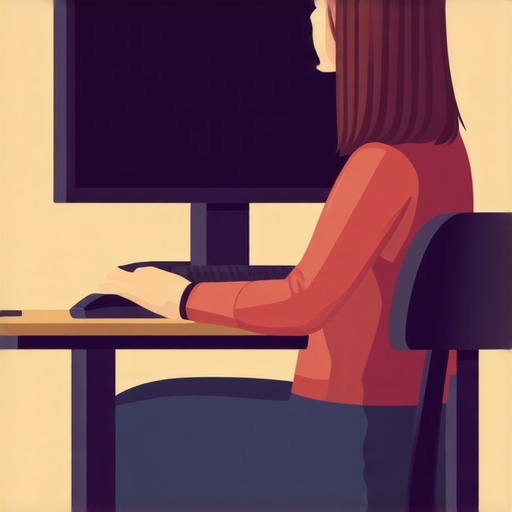
How Your Keyboard Placement Is Pulling Your Neck Forward
I remember the exact moment I realized my keyboard placement was pulling my neck forward like a sled off a hill—suddenly feeling that sharp, persistent ache that just wouldn’t go away. It was a lightbulb moment that made me reevaluate how I was working, not just my posture but how my daily habits were subtly sabotaging my health. If you’ve been battling neck discomfort or stiffness after hours at your desk, there’s a good chance your keyboard setup is part of the problem, even if you never suspected it.
The Hidden Impact of Keyboard Placement on Neck Health
Many of us don’t realize that the way our workspace is arranged can have a profound effect on our neck and spine. An improper keyboard position can lead your head to lean forward, causing strain and discomfort over time. This isn’t just a matter of bad posture—it’s a cumulative effect that can create chronic pain, reduce mobility, and even lead to more serious issues like herniated discs or nerve compression. The good news? Small adjustments can make a huge difference. In this post, I’ll share my personal experience, what I’ve learned from experts, and practical steps to protect your neck while working.
Why Should You Care? The Surprising Link Between Setup and Pain
Here’s a startling fact: according to a study published in the Journal of Occupational and Environmental Medicine, poor ergonomic setup is a leading cause of musculoskeletal disorders among desk workers, contributing to nearly 70% of neck complaints. The root cause? Often, it’s a simple misalignment of your keyboard and monitor that encourages you to crane or tilt your head, constantly pulling your neck out of natural alignment. Early in my journey, I made the mistake of ignoring this connection, thinking good posture was just about standing straight—but it’s so much more nuanced than that. Proper setup is essential, and a little awareness can save you years of pain.
So, have you ever caught yourself leaning forward when typing or adjusting your neck to see your screen better? If so, you’re not alone—and the good news is, you’re about to learn how to fix it. But before jumping into solutions, let’s explore why addressing this issue is more critical now than ever, given how much time we spend at our desks and how ergonomic mistakes can silently sabotage our health without us realizing it.
Position Your Keyboard at the Right Height
Start by placing your keyboard so that your elbows are bent at roughly 90 degrees and your wrists are straight. I once spent an entire afternoon juggling different heights on my desk until I found a position that kept my forearms parallel to the floor. This prevents your neck from drifting forward to see your screen clearly, reducing strain. Invest in adjustable keyboard stands or risers to fine-tune your setup here.
Align Your Monitor to Minimize Neck Strain
Position your monitor directly in front of you, about an arm’s length away, with the top of the screen slightly below eye level. I once cluttered my desk with books and boxes to elevate my monitor temporarily, which helped me see without tilting my head. Remember, the key is to keep your neck in a neutral position, avoiding downward or upward gazes that cause compression. Use monitor risers or adjustable stands to achieve this here.
Practice Proper Typing Posture
Keep your shoulders relaxed and head aligned over your neck as you type. I caught myself curling my shoulders inward during long typing sessions, which compounded my neck tension. To combat this, sit back in your chair with your lower back supported, and keep your wrists resting comfortably. Gentle repositioning and micro-breaks every 30 minutes can reinforce this habit here.
Employ Dynamic Movements and Micro-Adjustments
Don’t stay static for hours. Every 20 minutes, stand up, stretch, or shift your position slightly—like a car that needs periodic realignment. I made a habit of doing gentle neck rolls and shoulder shrugs, which reminded me that your body is meant to move, not freeze in a strained posture. Setting timers or using ergonomic apps can help maintain these micro-adjustments here.
Use Supportive Equipment Where Needed
If you notice persistent tension, consider ergonomic accessories like wrist rests or lumbar support cushions. I experimented with various cushions until I found one that kept my hips and spine properly aligned. These small tools can prevent your neck from compensating for poor lower back or shoulder support, leading to smoother, pain-free typing sessions here.
Many people think they understand chiropractic care, but in reality, common myths can hinder effective treatment and recovery. A prevalent misconception is that chiropractors only perform spinal adjustments, but their expertise extends to comprehensive musculoskeletal health, including soft tissue therapy, posture correction, and functional mobility strategies here. Moreover, the assumption that pain relief is immediate often leads to disappointment; true healing involves addressing root causes and sometimes requires patience and ongoing care.
A critical nuance many overlook is the importance of personalized treatment plans. Not all back or neck pains are the same, and a one-size-fits-all approach can be counterproductive. For example, a recent study in the Journal of Occupational and Environmental Medicine emphasizes that tailored chiropractic interventions significantly outperform generic routines in managing chronic neck discomfort here.
Beware of the trap of thinking that chiropractic adjustments are only for acute injuries. In fact, proactive adjustments and mobility exercises can prevent chronic issues from developing. Frequently, patients neglect the subtle signs of misalignment—such as slight stiffness or recurring pain—which can evolve into more severe problems if left unaddressed. Recognizing these early signals and consulting a professional skilled in rehabilitative techniques can make a world of difference.
A common myth is that chiropractic care conflicts with other medical treatments. On the contrary, integrated care often produces better results. Chiropractors collaborate with physicians, physical therapists, and massage therapists to craft holistic plans, emphasizing the treatment of underlying issues rather than just symptoms. This multi-disciplinary approach not only accelerates recovery but also fosters sustainable health improvements.
For the advanced reader, understanding the biomechanical nuances can shed light on why certain therapies work better for specific conditions. For instance, addressing fascial restrictions through Myofascial Release in conjunction with alignment adjustments can relieve nerve compression and restore mobility more effectively than adjustments alone. Recent research supports this integrated modality, showing improved outcomes when manual therapies are combined here.
If you’ve ever fallen into the trap of neglecting subtle postural issues or dismissed the importance of a customized care plan, now’s the time to rethink your approach. Chronic pain persists not because you’re doing too much but often because you’re doing too little in terms of targeted, professional intervention.
Don’t forget, proactive engagement with your spinal health can prevent countless issues down the line. If you’re unsure about your current approach or want to explore tailored solutions, reach out for a consultation here. Remember, understanding the nuances and avoiding common pitfalls can set you on a path to lasting relief and enhanced mobility. Have you ever fallen into this trap? Let me know in the comments.
Maintaining a healthy spine and optimal mobility isn’t a one-and-done effort; it requires the right tools, consistent upkeep, and strategic adjustments. Over the years, I’ve refined my toolkit to include specific gear and routines that ensure I stay functional and pain-free. Today, I want to share some of the most effective tools I personally rely on, along with maintenance strategies to help you sustain your improvements over time.
Invest in a Quality Posture Corrector
I’ve found that a well-designed posture corrector worn during work sessions can serve as a real reminder to keep my shoulders back and spine aligned. Unlike generic braces, I opt for adjustable, breathable models that I wear during prolonged desk work. These assist in reinforcing good habits without causing discomfort. Remember, the goal isn’t dependency but reinforcement—use it smartly for a few hours daily, then wean off as your habits improve.
Use an Ergonomic Sit-Stand Desk
Transitioning between sitting and standing is crucial for long-term spinal health. I personally use an adjustable sit-stand desk, which allows me to modify my workspace throughout the day. This prevents stiffness and boosts circulation. According to recent studies, alternating positions can significantly reduce back pain and improve mobility—it’s a trend I predict will become standard in ergonomic setups by 2025. Check out here for proven methods on restoring mobility effectively.
Harness the Power of Foam Rolling and Myofascial Release
Self-myofascial techniques with a foam roller help prevent muscle knots that often lead to poor posture and chronic pain. I dedicate 5-10 minutes daily to roll out my thoracic spine and hips, which keeps my tissues supple and my mobility high. Use a dense roller and focus on tender spots—this proactive maintenance can greatly reduce the need for more invasive interventions later on.
Apps for Micro-Adjustments and Movement Reminders
Staying conscious of posture cues is easier with technology. I rely on apps that alert me to take micro-breaks, perform neck stretches, or change my position. These tools foster habits that prevent the buildup of misalignments. Moving regularly isn’t just an effort—it’s becoming a structural necessity, especially as trends lean toward remote work environments.
Future Trends in Spinal Maintenance and Mobility Tools
Looking ahead, personalized wearable devices that monitor spinal posture in real-time are on the rise. Imagine smart shirts or braces capable of providing instant feedback, guiding you toward optimal alignment. As researched in expert analyses, integrating such technology into daily routines could revolutionize how we maintain mobility and prevent chronic issues. Keep an eye on innovations like these as they become more accessible.
Question: How do I maintain mobility and prevent relapse over time?
Consistency is key. Regularly scheduled check-ins with a chiropractor, along with daily routines that incorporate mobility exercises and ergonomic adjustments, are vital. I recommend trying out advanced tools like targeted foam rolling combined with strategic stretches. For personalized guidance, consider consulting professionals to develop a bespoke maintenance plan—it’s an investment that pays off in lifelong mobility. Want to explore tailored strategies? Reach out here to schedule a consultation.
Lessons Only Experience Can Teach
One of the most surprising lessons I learned is that even small misalignments in your workspace can accumulate into chronic neck pain over time—something I ignored until it became unbearable. I used to think that stretching or quick fixes were enough, but silently, my posture was betraying me, teaching me that consistency and proper setup are non-negotiable. Additionally, I realized that personalized care, listening to my body’s subtle signals, far outweighs generic advice—what works for one may not work for all, underscoring the importance of tailored solutions. Lastly, I understood that maintenance isn’t a one-time effort; it requires ongoing adjustments, awareness, and integrating mobility practices into daily routines to sustain relief and prevent recurrence.