How to adjust your monitor to stop the 4 PM neck burn
I remember the exact moment I realized my monitor was essentially a torture device. It was a Tuesday, late October, and I was staring at a spreadsheet when a sharp, searing heat radiated from my shoulder blades up into the base of my skull. I tried to rub it out, but it felt like my muscles had turned into dried beef jerky. For months, I just assumed this 4 PM neck burn was the tax I had to pay for a modern career. I was wrong, and honestly, I was miserable. I’d spend my evenings trying the simple shoulder blade squeeze for instant neck relief just to feel human again. It took me a long time to realize that the culprit wasn’t my workload, but the six-inch difference between where my eyes were looking and where they should have been.
Stop Fighting Your Screen Every Afternoon
It isn’t just about posture in the way your elementary school teacher meant it; it’s about physics. When your monitor sits too low, your head—which weighs about as much as a heavy bowling ball—tilts forward. This puts immense pressure on your cervical spine. I eventually learned that how your laptop height is ruining your middle back mobility was the primary reason I felt like I needed a new spine by Friday. We spend so much time focusing on the chair, but if your eyes aren’t level with the top third of your screen, your neck is doing overtime it never signed up for. You end up with a strain that doesn’t just go away with a good night’s sleep; it builds up, day after day, until you’re looking for essential chiropractic tips for 2025 just to survive the week. I want to help you skip that phase of the journey.
Do those expensive ergonomic gadgets actually help?
You might be thinking that you need to drop five hundred bucks on a robotic monitor arm or a fancy standing desk to find peace. I get it; I’ve been there. Skepticism is healthy here because the market is flooded with gear that promises the world. I’ve seen people buy every gadget in the catalog and still end up with the same chronic neck discomfort struggles. The truth is, most of the time, the solution is sitting right on your desk—you just haven’t moved it three inches to the left or propped it up on a few sturdy books yet.
The Setup Mistake That Cost Me Six Months of Comfort
When I first started trying to fix this, I made a classic blunder: I boosted my monitor so high I was looking up like I was in the front row of a movie theater. I thought more height was better. Instead of relieving the burn, I just traded it for a different kind of tension in my jaw. I was desperately trying the Bruegger’s relief move to reverse hours of hunched sitting, but it was like bailing water out of a sinking boat without plugging the hole. According to the Occupational Safety and Health Administration (OSHA), your eyes should be at a level where you can see the screen without tilting your head up or down significantly—a neutral neck is the only way to avoid long-term strain. If you’ve been feeling that familiar sizzle between your shoulder blades, you might need effective neck pain management that starts with a simple $20 riser. Have you ever caught yourself leaning so close to the screen that your nose is practically touching it by the end of the day? Let’s dive into the exact measurements you need to stop that from happening ever again.
Aim Your Eyes at the Top Ribbon
Here is the golden rule: your eyes should be level with the top 2-3 inches of the screen, not the center. When you look at the center of the monitor by default, your chin naturally drops or your forehead tilts forward. It’s a tiny movement, but over eight hours, it’s like hanging a weight from a fishing pole—eventually, the pole is going to bend or snap. I realized this when I finally gave up on “eye-balling it” and used a measuring tape. If you find yourself looking down, even slightly, you’re constantly engaging the muscles at the base of your skull. You might need to integrate the chin tuck drill to combat tech neck instantly to reset the damage, but the permanent fix is raising that screen. I once used a stack of heavy cookbooks—mostly Gordon Ramsay’s hardcovers—to get my monitor to the right height. It looked like a kitchen disaster on my desk, but the relief was immediate.
Why Laptops Are Your Spine’s Worst Enemy
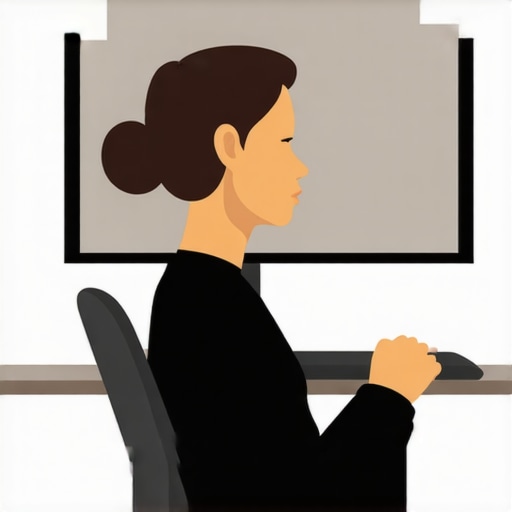
Laptops are an ergonomic nightmare because the keyboard and the screen are joined at the hip. If the keyboard is at the right height for your wrists, the screen is too low for your neck. If the screen is high enough for your eyes, you’re typing like a T-Rex. You cannot win this game without external help. I’ve seen so many remote workers struggle because they refuse to buy a separate keyboard. Learning how to set up your laptop at a coffee shop pain-free usually involves propping the laptop up on a stand and using a Bluetooth keyboard. This allows your shoulders to drop away from your ears. When your hands are forced up too high or your neck is craned down, you’ll find why your shoulder blades feel like they’re burning after typing becomes a daily reality instead of a rare occurrence.
The Arm’s Length Test
Distance matters just as much as height. If the monitor is too far away, you will subconsciously “turtle” your neck forward to read the text. If it’s too close, you’ll lean back and strain your eyes. Sit back in your chair, extend your arm, and your middle finger should just barely be able to touch the screen. That’s your sweet spot. If you can’t see the text from there, don’t move your head—increase the font size. Making this one change is a core part of how to sit at your desk with zero back fatigue. I used to lean in like I was trying to whisper a secret to my Excel sheets until I realized my vision was the problem, not the screen distance.
Reset Your Chest to Save Your Neck
When we hunch toward a screen, our pectoral muscles tighten and pull our shoulders forward. This creates a tug-of-war where your back muscles are constantly losing. To counter this while you’re at your desk, try the 30-second pec stretch to fix slumping shoulders every time you finish a meeting or an hour of deep work. It opens the ribcage and lets your spine return to a neutral stack. Think of your spine like a stack of oranges; if one is off-center, the whole tower feels wobbly and requires more effort to keep upright. By fixing the monitor height and clearing out that chest tension, you’re finally letting the tower stand on its own.
But here is where most people—even the ones who buy the expensive risers—hit a wall. They assume that once they’ve achieved this perfect ergonomic stack, their job is done. I’m here to tell you that there is no such thing as a perfect static position. In my experience, focusing solely on holding a rigid, correct pose is actually a shortcut to more tension. We’ve been told for decades to sit up straight, but a rigid spine is a brittle spine. You need to focus on mobility mastery and back pain prevention through movement variability, not just static alignment. Research published in the Journal of Orthopaedic & Sports Physical Therapy has shown that sitting slumped isn’t inherently the enemy; the real culprit is the lack of movement frequency. Your best posture is always your next posture.
Stop Trying to Sit Perfectly Still
One of the biggest mistakes I see people make when they start focusing on their neck is what I call the military tuck trap. You realize your head is too far forward, so you jam your chin back as hard as possible. This is a common version of the chin tuck mistake that is making your neck pain worse. By forcing that movement, you’re actually compressing the delicate nerves at the very top of your spine. It’s a subtle nuance, but it’s the difference between long-term relief and a chronic tension headache. Real relief comes from soft, controlled movements that encourage blood flow, not rigid adherence to a 90-degree angle.
Why does your neck still throb even when your setup is flawless?
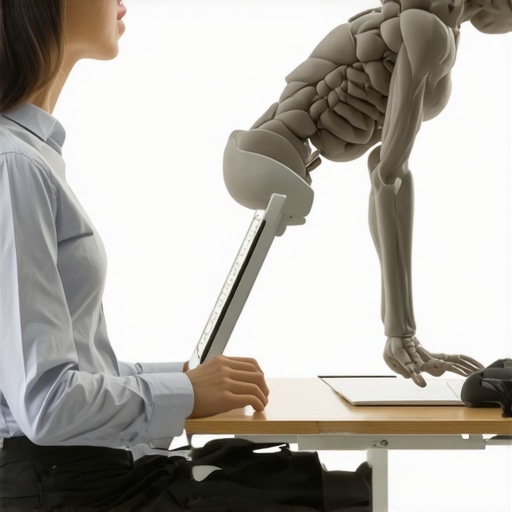
Sometimes, the problem isn’t your eyes or your monitor—it’s your foundation. I used to think my neck was the problem, but it turned out my hips were the silent saboteurs. If your pelvis is tilted incorrectly while you sit, your entire spine has to compensate to keep your head level. This is why your glute medius is more important than your abs for back health. When those stabilizing muscles in your hips go to sleep, your neck muscles have to wake up and do a job they weren’t designed for. You might also find that your pelvic floor might be the secret to solving back pain because it provides the internal pressure needed to support your torso from the inside out. If you’re struggling with this, don’t just look at your screen; look at how you’re using your whole body. I spent six months chasing the wrong ghost before I realized my perfect setup was actually masking a lack of functional movement. Have you ever fallen into this trap of over-correcting your posture only to feel worse? Let me know in the comments.
I used to think that once I got my monitor height right, I was ‘cured.’ But the body is a living thing, not a piece of furniture you can set and forget. To keep that progress, I had to adopt what I call a maintenance protocol. I started incorporating the morning spinal hygiene routine every desk worker needs before I even opened my email. It is like brushing your teeth for your back; if you skip it, the ‘plaque’ of stiffness starts to build up almost immediately. I have found that revitalize your mobility proven strategies for back pain relief only work if they are applied with the same consistency as your gym routine or your morning coffee.
Pick the Tools That Do the Hard Work for You
I stopped trying to be an ergonomic hero and started using software to remind me to move. I personally use an open-source app called Stretchly because it forces me to take micro-breaks every 20 minutes. During these short intervals, I do not just stare at my phone; I use expert methods to relieve neck and back discomfort, like a quick doorway stretch or a standing reach. If you find that your shoulder feels heavy after typing, it is often because you have stayed in a ‘locked’ position for too long, even if that position is technically correct. For hardware, I finally invested in a gas-spring monitor arm. It allows me to change the height and angle of my screen by an inch or two throughout the day, which shifts the load on my vertebrae just enough to prevent repetitive strain fatigue.
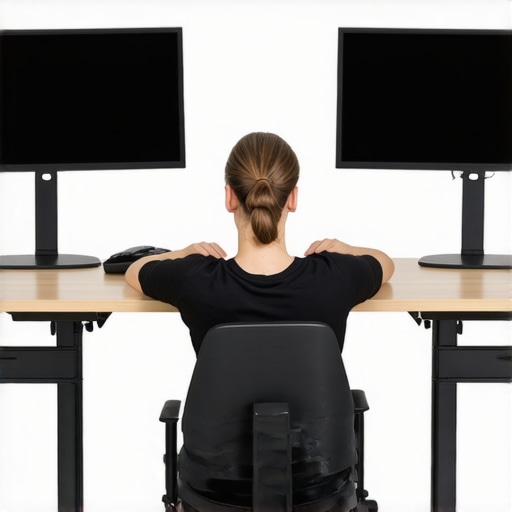
Specific measurements are your best friend here. According to Dr. Alan Hedge at the Cornell University Ergonomics Web (CUErgo), the most important factor in preventing musculoskeletal disorders is ensuring the monitor is far enough away to let your eyes focus without strain—usually 20 to 30 inches—while keeping the center of the screen below eye level. This research-backed approach is why I now use a measuring tape whenever I change my desk setup. When you combine these technical specs with proven chiropractic strategies to restore back mobility, you stop just managing pain and start preventing it entirely. I truly believe we are moving toward a future where AI-driven cameras will monitor our spinal alignment in real-time and gently vibrate our chairs or keyboards when we start to slouch, but until that becomes standard, we have to be our own advocates.
How do I stay consistent with these changes for years?
Maintenance is not about doing more work; it is about making the right way the easiest way. I keep a lacrosse ball or a massage ball under my desk so I can work on my feet while I am on conference calls. This simple trick helps maintain the foundation of your posture from the ground up. If you are serious about your health, you need to treat effective neck pain management as a daily commitment. I suggest you start with one specific advanced tip: set a simple alarm on your phone for every 50 minutes. When it goes off, do not just sit there—stand up, reach for the ceiling, and perform a single deep-breathing cycle. This 10-second reset is the secret to why some people can work 40 hours a week without a single ache while others are ready for a massage by Tuesday morning. Try the ‘micro-break’ method tomorrow and see how different your neck feels by 5 PM.
The Hard Truths I Learned While Fixing My Spine
After years of trial and error, I realized that ergonomic perfection is a myth. The real goal isn’t to find a single pose you can hold forever, but to build a body that can handle variety. I’ve found that neck pain no more expert chiropractic solutions that work aren’t just about the screen—they’re about how you treat your body the other 16 hours of the day. One of my biggest lightbulb moments was realizing that my vision was dictating my posture; if I couldn’t see clearly, no monitor arm in the world could keep me from slouching. It turns out that your eyes are the primary drivers of your neck position.
- Movement is non-negotiable: No setup is perfect enough to sit in for four hours straight without a reset.
- Listen to the whispers: That tiny twinge at 10 AM is a signal to move before it becomes a searing heat by 4 PM.
- Consistency beats intensity: Five minutes of daily mobility is more effective for your discs than a two-hour gym session once a week.
#IMAGE_PLACEHOLDER_E#
The Simple Tools That Saved My Workday
I don’t believe in buying every gadget on the market, but a few specific items made a massive difference in my recovery. First, a high-quality gas-spring monitor arm changed everything because it let me micro-adjust my screen height based on my energy levels and chair position throughout the day. I also highly recommend looking into how chiropractic care enhances movement to ensure your joints are actually capable of reaching the neutral positions you’re aiming for. Lastly, I keep a simple foam roller near my desk; it’s the most cost-effective way to reset my thoracic spine after a long morning of meetings. These aren’t just accessories; they are foundational tools for your productivity.
Start Moving Toward a Life Without the Burn
You do not have to accept a burning neck or stiff shoulders as a mandatory tax for your career. It starts with a single inch of monitor height and a commitment to understanding back pain and better posture. When you finally align your workspace with your biology rather than fighting it, you’ll be amazed at how much mental energy you reclaim. You deserve to finish your workday feeling energized and ready for your hobbies, not exhausted by your own skeleton. Use chiropractic secrets to regain full mobility and take control of your environment today. Your future self will thank you for the relief you find this afternoon. Have you ever tried raising your monitor only to find your neck felt worse? Let me know your setup struggles in the comments below!