Why Your Laptop Stand Is Still Causing Neck Strain
I sat there with a $50 piece of brushed aluminum holding my laptop high, yet my neck felt like it was being squeezed in a vise. I’d done everything “right.” I bought the gear, I separated the keyboard, and I even watched the YouTube tutorials. But the burning between my shoulder blades persisted. That was the moment I realized that buying a stand is only half the battle. If you’re still reaching for the Ibuprofen after a four-hour Zoom marathon, you aren’t alone—and it’s likely not the stand’s fault, but rather a few subtle habits you haven’t noticed yet. Today, I am going to show you exactly why that expensive piece of hardware isn’t the silver bullet you were promised and how to actually stop the ache.
The day I realized my laptop stand was a lie
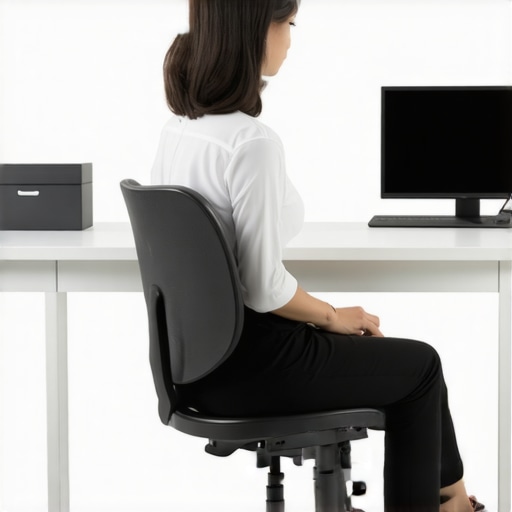
I used to think that “eye level” was the magic phrase that would end my constant headaches. I set my stand up, sat as stiff as a board, and waited for the relief. It never came. In fact, my neck felt tighter because I was forcing a static posture that my body hated. This is a common trap: we treat ergonomics like a “set it and forget it” solution. But if you haven’t done the 5-second check to see if your monitor is too low, you might still be craning your neck without realizing it. I made the mistake of thinking my gear would do the work for me, but the reality is that our bodies crave movement, not just a better angle. Your laptop stand provides the height, but it doesn’t automatically fix the way your shoulders roll forward or how your chin drifts toward the screen as the day drags on.
Is your expensive gear actually making things worse?
You might be skeptical. After all, you spent good money on that setup. But here is a surprising fact: According to research published in Surgical Technology International, tilting the head forward by just 15 degrees increases the weight the neck must support from roughly 12 pounds to 27 pounds. By the time you are hunched over at a 60-degree angle, your neck is supporting an effective weight of 60 pounds. No stand can fix that if your chair or your habits are pulling you into a slump. Sometimes, why sit-up-straight is actually bad advice for some becomes very clear when you realize that rigid, unnatural posture leads to muscle fatigue just as fast as slouching does. Even why your office chairs armrests are hurting your neck plays a massive role, as they can subconsciously force you to shrug your shoulders up toward your ears all day. Have you ever felt like your “ergonomic” office setup was actually a torture device? If so, it is time to look past the hardware. We need to integrate simple movements like the 30-second reset for tech neck fatigue to keep the muscles from locking up. Let’s dive into why your body is still protesting and how to actually find that lasting relief.
Stop treating your screen like a fixed statue
I’ve seen people set their laptop stand to a specific height and then never touch it again for months. This is a massive mistake. Your body isn’t a static object; it changes throughout the day based on your energy levels and even what you ate for lunch. I once spent an entire Tuesday squinting at a complex spreadsheet, and despite having my stand at the “perfect” height, I ended up with a massive headache. I realized that as my eyes got tired, my chin was creeping forward to compensate for the small font. If you find yourself doing this, how your eyes are secretly dictating your posture becomes the missing piece of the puzzle. You need to adjust the distance, not just the height. Bring the screen closer when you’re tired so your neck doesn’t have to reach for it. 
The external keyboard is your only real defense
The biggest “gotcha” of using a laptop stand is that it makes the laptop’s built-in keyboard useless for ergonomics. If you are still reaching up to type on your stand, you are actually creating a worse problem for your shoulders than if you had no stand at all. This is exactly where neck pain no more expert chiropractic solutions that work starts—by realizing that your elbows need to be at a 90-degree angle, resting comfortably at your sides. When I first started using a stand, I tried to save money by not buying a separate mouse. My right shoulder was in a permanent shrug for three weeks until I finally gave in. Your setup needs to allow your shoulder blades to drop down your back. If you feel that familiar fire between your wings, you should immediately try the 10-second reset for when your shoulder blades start burning to get those muscles to release their grip.
Movement beats the most expensive chair every time
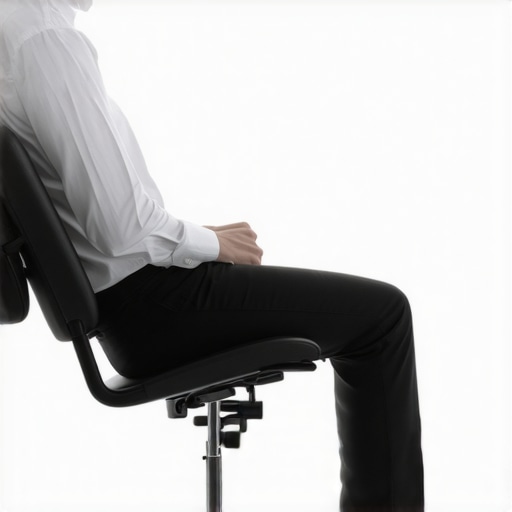
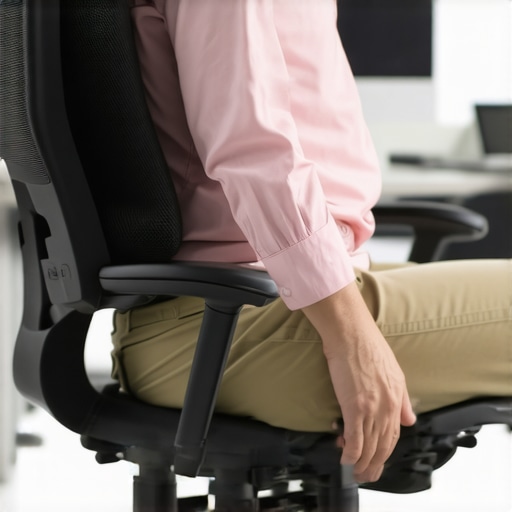
We have been sold a lie that “perfect posture” is a position you hold like a soldier on guard. In reality, why your perfect posture is actually making you stiff is because your joints require synovial fluid to stay lubricated, and that fluid only moves when you do. I used to set a timer for every 30 minutes. When it went off, I didn’t just stand up; I did a series of movements to “reset” my neurology. This is why I always recommend the 5-minute desk reset for busy professionals. You don’t need a gym; you need to break the cycle of stagnation. Even a slight shift in how you sit can prevent the deep, aching pressure that leads people to seek professional help. If you’re serious about effective neck pain management a step-by-step guide, start by acknowledging that the best position is your next position. Stop trying to sit perfectly and start trying to sit dynamically.Most people assume that if a muscle feels tight, it needs to be stretched until it yields. I used to be one of those people. I would spend twenty minutes every morning cranking my neck from side to side, hoping to find relief. But here is the nuance: often, that tightness is actually a protective tension. Your brain is intentionally tightening those muscles because it perceives instability in your spine. When you stretch a muscle that is trying to protect a joint, you are effectively pulling the alarm system out of the wall. This is exactly why your perfect posture is actually making you stiff. The ‘Oops’ factor here is aggressive stretching. If you have a desk job, your hamstrings probably feel tight, but why stretching your hamstrings wont fix your back pain is because the issue is likely coming from an anterior pelvic tilt, not short muscles. In the same way, your neck tension is often a secondary symptom of a foundation issue.
Why does your pelvis dictate what happens in your neck?
It sounds counterintuitive, but the spine is a closed kinetic chain. A study published in the Journal of Manipulative and Physiological Therapeutics highlights that spinal manipulative therapy applied to one region can have neurophysiological effects in distant, non-treated areas. This is why we look at your pelvis when your neck hurts. If your hips are skewed, your head must tilt to keep your eyes level with the horizon. Your neck muscles then work overtime to maintain that level gaze. No amount of laptop height adjustment can fix a foundation that is off-kilter. 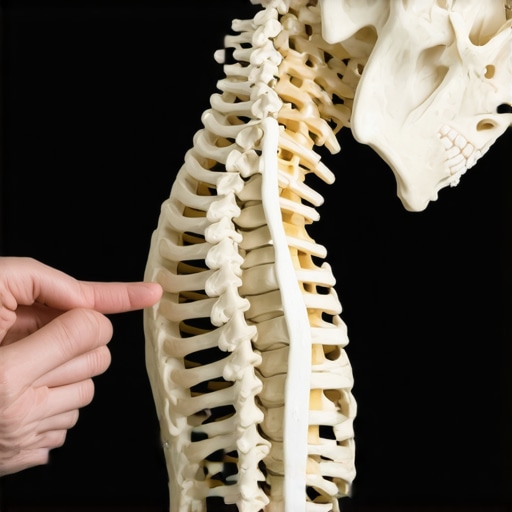
Ice isn’t always the answer for stiffness
Another massive trap is over-reliance on cold therapy. We are told to ice everything, however, why icing isnt always the best move for a stiff neck is because cold can cause muscles to contract even further, worsening a tension headache. You need blood flow to heal, not a frozen neck. If you really want to move the needle, you have to look at the hidden links. For instance, the connection between your jaw tension and neck mobility is often the culprit for that lingering ache. We often find that chiropractic secrets to boost neck comfort and function involve looking at everything but the spot that hurts. Have you ever fallen into this trap of over-stretching only to feel tighter the next day? Let me know in the comments. Finding unlocking neck pain relief expert tips for lasting comfort means admitting that the hardware is only a small piece of the biological puzzle.So, what does my desk actually look like now? After burning through a dozen ‘ergonomic’ gadgets, I’ve whittled it down to three non-negotiables. First, I ditched the standard keyboard for a split mechanical one. This was a game-changer because it forced my chest to stay open, preventing that internal shoulder rotation that leads to tech neck. If you are struggling with costs, how to set up your home office on a budget is a great place to start looking for affordable alternatives. I also swapped my standard mouse for a vertical one. It feels weird for forty-eight hours, but it stops the ‘creep’ of tension from your wrist all the way up to your cervical spine. When you use tools that respect your natural anatomy, you’re engaging in boost mobility ease pain chiropractic techniques unveiled without even trying.
The gear I actually kept after three years of trial and error
The secret to a pain-free life isn’t just the gear; it’s the interval at which you use it. I now use a simple software reminder that locks my screen for 20 seconds every 20 minutes. During that time, I perform the 10-second stretch for people who type all day. This breaks the static load on my joints and discs. Dr. Stuart McGill, a world-renowned spine biomechanics expert and author of Back Mechanic, points out that the intervertebral disc is a ‘time-dependent’ structure. This means the longer you stay in one position, the more the fluid in your discs shifts, potentially leading to long-term structural changes. By moving frequently, you’re essentially ‘pumping’ the life back into your spine. This is why unlock neck pain relief essential chiropractic tips for 2025 focus so heavily on micro-movements rather than just big, hour-long gym sessions. 
How do I maintain my spine without quitting my day job?
Maintenance is about the boring, daily stuff. I treat my spinal health like brushing my teeth. Every morning, I spend three minutes on restore your range how chiropractic care enhances movement to wake up my nervous system. I’ve realized that if I wait for the pain to show up before I move, I’ve already lost the battle. The goal is to stay ahead of the curve. I predict that in the next five years, we will see a massive shift toward ‘active’ furniture—desks and chairs that subtly move under you to keep your core engaged. We are moving away from the idea of the ‘perfect’ chair and toward the idea of ‘variable’ support.
Why the future of work is standing, sitting, and everything in between
We are finally admitting that humans weren’t built to stare at glowing rectangles for ten hours. The trend is moving toward integrated wellness where your office environment forces you to be mobile. Until your company buys you a walking treadmill desk, you have to be your own advocate. My biggest piece of advice? Don’t wait for your neck to lock up. I want you to try one specific thing today: set a timer for 25 minutes, and when it goes off, just stand up and reach for the ceiling. It sounds too simple to work, but consistency is the only way to achieve unlocking neck pain relief expert tips for lasting comfort. If you can’t commit to 10 seconds of movement, no $500 chair in the world is going to save your back.
What I Learned the Hard Way About My Desk Setup
It took me three years to realize that a laptop stand is just a pedestal for your problems if you don’t change your core habits. First, I learned that static is the enemy. Even in a technically perfect position, holding it for hours slows blood flow and leads to fatigue. I finally understood that why your perfect posture is actually making you stiff isn’t just a theory—it’s how our muscles react to lack of movement. Second, I realized that eye level is just a baseline, not a cure-all. My focus shifted from buying gear to learning how to stay mobile when you have a desk job and no time for the gym.
Simple Tools That Actually Made the Cut
If you’re tired of the “ergonomic” marketing fluff, I recommend focusing on tools that respect your natural anatomy. A split keyboard and a vertical mouse were my two best investments because they stop the tension from creeping up into the neck. For those looking for more specific strategies, mastering back neck pain relief tips from the pros offers a clear roadmap. My most effective “tool” is actually a simple digital timer that forces me to stand up every thirty minutes to reset my nervous system.
Start Small for a Future Without Daily Pain
You don’t need to transform your entire office today to see results. Your body is incredibly resilient and often just needs a little bit of breathing room to begin the healing process. Whether it is adjusting your monitor height or finally committing to a movement routine, every small choice adds up. Achieving unlocking neck pain relief expert tips for lasting comfort isn’t about perfection; it’s about consistency. If you’re ready to dive deeper, exploring relieve neck back discomfort using these expert methods can give you even more tactical steps to try. Which “ergonomic” gadget did you buy that actually made things worse? Let me know in the comments!