How to read on a tablet without straining your neck
I was three chapters into a gripping thriller, completely lost in the plot, when I finally tried to look up to answer the door. I couldn’t. My neck felt like a rusted gate hinge that hadn’t seen oil in decades. That sharp, searing twinge radiating from the base of my skull was a wake-up call I couldn’t ignore. It’s a common story: we buy these sleek, portable devices for convenience, but we end up paying a heavy price in physical comfort. I used to think I was being smart by stacking three pillows behind me on the sofa, but I eventually learned why your couch is the worst place for your spine when you’re trying to relax with a book. Today, I want to share the exact shifts I made to my reading habits so you can enjoy your digital library without feeling like you need a chiropractor on speed dial. Have you ever felt that dull ache behind your eyes after an hour of scrolling or reading?
My iPad Addiction Almost Ruined My Morning Mobility
I made a massive mistake early on by assuming that because a tablet is light, it doesn’t require an ergonomic setup. I would spend hours with my chin tucked firmly against my chest, staring down into my lap. It turns out that when you tilt your head forward just 60 degrees, you’re effectively putting 60 pounds of pressure on your cervical spine, according to research cited by Harvard Health Publishing. That is like carrying an average-sized eight-year-old around on your neck while you’re trying to enjoy a novel! No wonder I was waking up stiff. I had to stop and relieve neck back discomfort using these expert methods before I could even think about finishing my reading list. Mobility isn’t just about the gym; it’s about how we move—or don’t move—during our downtime.
Is digital reading actually worth the chronic stiffness?
A lot of people ask me if they should just go back to paperbacks to save their posture. While I love the smell of an old book, the truth is that the problem isn’t the screen; it’s the height of the screen. If you’re constantly looking down, you’re inviting tension. I found that why your screen height is the real cause of your headaches is the single most important lesson for any modern reader. By simply bringing the device to eye level, you change the entire mechanical load on your body. It sounds simple, almost too simple to be the solution, but it’s the foundation of everything else we’re going to discuss. Once I fixed my line of sight, I noticed my tension headaches vanished almost overnight.
Ditch the Pillows and Fix Your Line of Sight
The first thing I did was invest in a simple, adjustable tablet stand. I realized that my hands were never meant to hold a device at a 90-degree angle for two hours straight. If you’re still holding your tablet in your lap, you’re fighting a losing battle against gravity. I also started incorporating the simple wall drill to reverse forward head posture into my daily routine to counteract the hours I spent leaning in. It’s about creating a balance between your digital life and your physical health. You don’t have to give up your Kindle; you just have to stop treating your neck like a crane.
Elevate Your Device or Pay the Price
Think of your head like a 12-pound bowling ball balanced on a thin stick. Every inch you tilt that ball forward, the weight increases exponentially, straining the muscles in your upper back and shoulders. To stop this, you have to bring the world up to you. I stopped holding my iPad in my lap and started using a dedicated stand that sits on my desk or kitchen counter. This simple change keeps my chin parallel to the ground, which is the gold standard for spinal alignment. If you’re reading on the go, hold your phone or e-reader directly in front of your face. Yes, your arms might get tired at first, but it’s a much better trade-off than the searing heat of a trapped nerve. 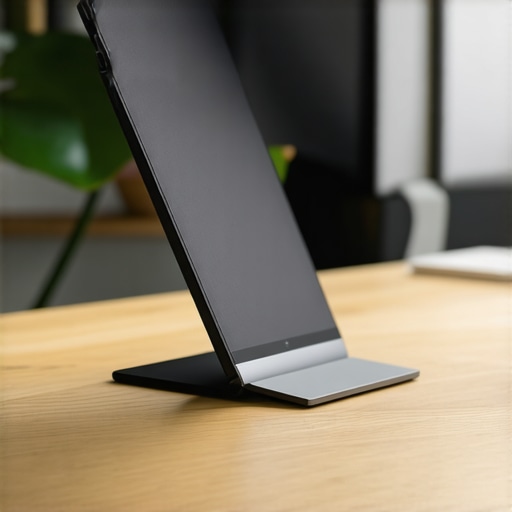
The 30-Second Reset for Binge Readers
I remember a rainy weekend in Maine where I was so engrossed in a mystery novel that I stayed in the same curled-up position for nearly four hours. When I finally moved, my lower back felt like it had been fused together. That was the last time I ignored the clock. Now, I use a timer. Every 30 minutes, I perform the 30-second reset for tech neck fatigue. I stand up, squeeze my shoulder blades together as if I’m trying to hold a pencil between them, and look at the ceiling. This opens up the chest and reverses the ‘C-shape’ our bodies naturally want to take when we are relaxed. It’s about interrupting the patterns of tension before they become permanent fixtures of your anatomy.
Your Eyes Might Be Pulling Your Head Forward
One thing I didn’t realize until much later was that my vision was dictating my posture. If the font on your screen is too small, you will naturally crane your neck forward to see better, regardless of how good your chair is. This ‘turtling’ effect is a major contributor to cervical strain. Increasing the text size and adjusting the brightness to match the room helps immensely. I’ve found that why your vision problems might be causing your neck pain is often overlooked in the quest for comfort. By making the screen easier to read, you allow your shoulders to drop and your neck to stay in its natural, neutral curve. It’s a subtle shift that makes a world of difference during those late-night reading sessions.
Looking Lower than the Neck for Answers
Sometimes the stiffness in your neck isn’t actually starting in your neck. Your spine is a closed system, and what happens at the bottom affects the top. If your hips are tight or your pelvis is tilted because of how you’re sitting, your neck has to compensate to keep your head level. This is a big part of unlocking neck pain relief expert tips for lasting comfort. I’ve learned that there is a deep why we adjust the pelvis to fix neck tension even when the pain feels localized much higher. To combat this, I started doing the 30-second morning move to hydrate your spinal discs every single day. It primes the entire system for the day’s load, ensuring that by the time I sit down to read, my body isn’t already starting from a place of structural deficit.
Stop Stretching Your Neck Until You Read This
Most people assume that if a muscle feels tight, the immediate solution is to pull and stretch it. I spent years doing this, thinking I was helping my mobility, but I was actually falling for a massive misconception. When your neck muscles feel tight from “tech neck,” they are often already overstretched and weak from being pulled forward. Adding more static stretching can actually trigger a protective reflex that makes the muscle tighten even more to prevent injury. In fact, a study published in the Journal of Physical Therapy Science indicates that prolonged static stretching can reduce muscle stability and force in the cervical spine when not balanced with strengthening. Instead of pulling on the tissue, you need to focus on stability and blood flow. This is why why stretching a tight muscle isnt always the answer. I’ve found much more success with gentle isometric holds that “wake up” the muscles rather than trying to lengthen them into submission.
Icing Might Be Keeping You Stiff
One of the biggest “oops” moments in my journey was my reliance on ice packs. I thought I was reducing inflammation, but I was actually slowing down the very blood flow my muscles needed to relax and heal. Unless you have an acute injury with visible swelling, why icing a stiff neck might be making it harder to move is a lesson learned the hard way. Cold causes tissue to contract. If your neck is already in a spasm from a long reading session, ice can lock that “gate hinge” even tighter. Switching to moist heat was a game-changer for my morning stiffness, as it helps the correct way to use a heating pad for muscle spasms to increase elasticity and soothe the nervous system. 
Why does my neck feel worse when I am stressed?
It isn’t just in your head—well, it is, but not the way you think. When we are under mental pressure, our bodies default to a “fight or flight” posture. We subconsciously shrug our shoulders toward our ears and clench our teeth. This creates a physiological feedback loop of tension between the jaw and the upper cervical spine. I finally understood why your neck hurts more when you are stressed once I started paying attention to the connection between your jaw tension and neck mobility. If you’re clenching your teeth while reading or working, no amount of ergonomic adjustment will fix the pain until you address that reflexive tension. This is where advanced expert chiropractic solutions that work come into play by resetting the nervous system’s baseline.
Your Perfect Posture Could Be Part of the Problem
We’ve all been told to “sit up straight,” but forcing yourself into a rigid, military-style posture is another trap for the modern reader. This “forced” alignment creates incredible tension in the mid-back and can actually lead to why your perfect posture is actually making you stiff. True mobility is about being adaptable, not being a statue. I see so many people trying to maintain a perfect spine while their core is so braced it can’t move. I’ve learned that why your strong core might actually be too rigid to allow for natural spinal movement. If you can’t breathe deeply while sitting “straight,” you’re creating internal pressure that eventually radiates to your neck. Have you ever fallen into this trap of trying to force your body into a position it wasn’t ready for? Let me know in the comments.
Make Your Desk Adjust to You Instead of the Other Way Around
I eventually realized that willpower is a terrible ergonomic strategy. You can’t just think your way into a healthy spine while focusing on a high-stakes project; your body will always default to the path of least resistance. I had to build an environment that forced me into better habits. One of my favorite tools is the Roost Laptop Stand. It is incredibly light but brings my screen exactly to my eyeline, which is non-negotiable for long-term spinal health. When I use it, I always pair it with an external mechanical keyboard and a vertical mouse. This setup ensures that my wrists stay neutral while my head stays stacked over my shoulders. If you are struggling with a workspace that feels like a torture chamber, I suggest you run through the 4-point check for a healthier home office setup to see what you might be missing.
Why I Swear by These Three Physical Tools
Another game-changer for me was the inclusion of proprioception training. I keep a simple foam balance pad tucked under my desk. Standing on an unstable surface while taking calls sounds counterintuitive, but it forces the tiny stabilizing muscles in my core and ankles to fire constantly. This is the physical application of why we test your balance during a spinal checkup. If your brain doesn’t know exactly where your body is in space—a sense called proprioception—it defaults to muscle tension as a safety mechanism. By waking up these stabilizers, I’ve found that my upper back doesn’t have to work nearly as hard to keep me upright. 
How do I keep my spine healthy for the next decade?
Maintaining mobility isn’t a one-and-done task; it is about consistency and professional oversight. I’ve made it a rule to schedule regular maintenance visits even when I am not in pain. This proactive approach is a cornerstone of understanding back pain a guide to better posture and mobility. By catching minor misalignments in the pelvis or ribcage early, I prevent them from cascading into the neck tension that used to ruin my productivity. Dr. Stuart McGill, a legendary expert on spine biomechanics and author of Back Mechanic, emphasizes that building stiffness in the core is actually what allows the joints to move freely without injury. It’s a paradox that makes perfect sense once you feel the stability for yourself.
The Future of Ergonomics is Proactive
I also rely on the 10-second posture check you can do anywhere to stay mindful throughout my day. It is like a software update for my nervous system. As we look toward the future, I expect we will see more AI-integrated furniture—desks that gently shift height when they detect your shoulders rising or wearable sensors that provide haptic feedback when you start turtling toward your screen. This is a massive shift from reactive care to preventative wellness. For those looking to level up right now, I highly recommend checking out chiropractic secrets to boost neck comfort and function. Don’t wait for a crisis to start caring about your alignment. Try this today: move your reading chair so the light source comes from the side rather than directly above, and notice how your eyes—and then your neck—immediately relax.
The Truth About Why My Neck Finally Stopped Hurting
After years of trial and error, the biggest ‘lightbulb moment’ I had was realizing that pain is often a lying messenger. I spent so much time rubbing the spot that hurt, never realizing that the discomfort was just a symptom of a much larger chain reaction. Here are the three most important lessons I learned during my recovery journey:
- The ‘Weak Link’ Trap: I finally understood the hidden link between neck pain and spinal health. The spot that feels the most tension is usually the part of your body that is working too hard to compensate for a lack of stability elsewhere.
- Movement is Medicine, Not Just Exercise: You don’t need a 60-minute yoga session to find relief. The most profound changes came from micro-movements—those 30-second resets we discussed—that kept my nervous system from locking down.
- Learn the Difference: It is vital to recognize the difference between muscle soreness and spinal pain. One can be stretched away; the other requires a fundamental shift in how you sit and see.
My Survival Kit for Digital Bookworms
I don’t believe in giving up the technology we love, but I do believe in augmenting it so it doesn’t break us. These are the specific tools I trust to keep my spine in check while I’m deep into a digital library. I personally use a portable, high-tensile aluminum stand that fits in my laptop bag, ensuring that no matter where I am—a coffee shop or a plane—my eyes stay level with the text. I also swear by a high-quality blue light filter for my Kindle and iPad; reducing eye strain naturally prevents that ‘turtling’ motion where you lean forward to see better. For those seeking deeper professional advice, I highly recommend looking into mastering back neck pain relief tips from the pros-300. When DIY methods aren’t enough, understanding chiropractic secrets to regain full mobility after injury can be the missing piece of the puzzle that restores your range of motion.
Reclaim Your Reading Time Without the Ache
You deserve to get lost in a story without worrying about how you’ll feel the next morning. By making small, intentional shifts in your environment and listening to the subtle signals your body sends, you can enjoy your digital hobbies for decades to come. Taking a proactive stance now is the best gift you can give your future self. Whether you are looking for an unlock-neck-pain-relief-essential-chiropractic-tips-for-2025 or just want to revitalize your mobility-proven-strategies-for-back-pain-relief, the power to change your physical health is in your hands—literally. Have you found a specific gadget or habit that saved your neck during long reading sessions? Let me know in the comments below!